Navigating the tight confines of a dorm room or a minimalist home office often means making clever choices about every piece of equipment, especially when it comes to technology like printers. For students churning out essays or professionals managing documents in a small apartment, a bulky printer simply isn’t an option. The good news? Modern laser printers have evolved, offering remarkable power and efficiency in surprisingly small packages. This guide will help you understand the world of compact laser printers and choose the perfect model to fit your tiny desk without sacrificing performance.
What is a Laser Printer?
A laser printer is an electrostatic digital printer that produces high-quality text and graphics by using a laser beam to create an image on a photosensitive drum. Unlike inkjet printers that spray liquid ink, laser printers utilize a fine powder called toner. This technology ensures crisp, precise prints, particularly for text-heavy documents.
The process begins when a laser beam rapidly scans across a negatively charged, rotating cylindrical drum, neutralizing the charge in specific areas that correspond to the desired image or text. The drum then selectively attracts positively charged toner particles to these neutralized areas. Next, the drum transfers this toner image onto a sheet of paper, which has been given a stronger positive charge. Finally, the paper passes through a fuser assembly, where heat and pressure permanently bond the toner to the paper fibers, resulting in a durable, smudge-free print. This sophisticated mechanism, derived from xerographic printing, has been refined since its inception in the 1970s, making laser printers ubiquitous in various settings today.
Advantages and Disadvantages of Laser Printers
When considering a printer for limited space, understanding the inherent pros and cons of laser technology is crucial. While known for their efficiency, laser printers also come with specific trade-offs.
Advantages
Laser printers are highly favored for their impressive efficiency and output quality. Their primary benefits include:
- Fast Print Speeds: Laser printers excel at producing documents quickly, often achieving significantly higher pages per minute (PPM) compared to inkjet models, making them ideal for high-volume tasks.
- Sharp, High-Resolution Output: Text documents printed with a laser printer are renowned for their exceptional sharpness, clarity, and precise lines, presenting a professional finish consistently.
- Low Cost Per Page: While the initial investment might be higher, the cost of toner cartridges typically results in a much lower cost per page, especially for monochrome printing and frequent use over the long term.
- Durability and Reliability: Designed for demanding environments, laser printers are generally more robust and durable, experiencing fewer mechanical failures and less maintenance compared to their inkjet counterparts.
- No Clogging Issues: Unlike liquid ink cartridges that can dry out and clog print heads if not used regularly, toner powder does not present this problem, ensuring reliability even after periods of inactivity.
|
Our Picks for the Best Laser Printer in 2026
As an Amazon Associate I earn from qualifying purchases.
|
||
| Num | Product | Action |
|---|---|---|
| 1 | HP LaserJet MFP M235sdw All-in-One Laser Wireless Printer, Scan/Copy, Black & White, Duplex, Best-for-Office |

|
| 2 | Brother MFC-L2820DW Wireless Compact Monochrome All-in-One Laser Printer with Copy, Scan and Fax, Duplex, Black & White | Includes Refresh Subscription Trial(1), Works with Alexa |
|
| 3 | HP Laserjet MFP M234dw Wireless Printer, Print, scan, Copy, Fast speeds, Easy Setup, Mobile Printing, Best-for-Small Teams, Instant Ink Eligible |
|
| 4 | Brother HLL3280CDW Wireless Compact Color Laser Printer, Duplex, Mobile Printing & Ethernet | Includes 2 Month Refresh Subscription Trial¹, Amazon Dash Replenishment Ready (Renewed Premium) |
|
| 5 | Brother HL-L2405W Wireless Compact Monochrome Laser Printer with Mobile Printing, Black & White Output | Includes Refresh Subscription Trial(1), Works with Alexa |
|
| 6 | Brother HLL6210DW Business Monochrome Laser Printer with Large Paper Capacity, Wireless and Gigabit Ethernet Networking, Advanced Security Features and Mobile Printing (Renewed Premium) |
|
| 7 | Canon imageCLASS MF284dw Wireless Black & White Laser Printer – All-in-One for Home Use, Print/Copy/Scan, 2-Sided Printing, 35 PPM, Auto Doc Feeder, Mobile Device Compatible, Starter Toner Included |
|
| 8 | Brother HL-L2460DW Wireless Compact Monochrome Laser Printer with Duplex, Mobile Printing, Black & White Output | Includes Refresh Subscription Trial(1), Works with Alexa |
|
| 9 | Brother DCP-L2640DW Wireless Compact Monochrome Multi-Function Laser Printer with Copy and Scan, Duplex, Mobile, Black & White | Includes Refresh Subscription Trial(1), Works with Alexa |
|
| 10 | Brother DCP-L2640DW Wireless Compact Monochrome Multi-Function Laser Printer with Copy and Scan, Duplex, Black & White Output | Includes Refresh Subscription Trial(1), (Renewed Premium) |
|
Disadvantages
Despite their strengths, laser printers do have certain limitations that might influence your decision, especially in compact settings.
- Higher Initial Price: The upfront cost for a laser printer is typically greater than that of a comparable inkjet printer, which can be a significant factor for budget-conscious buyers.
- Larger Footprint: Historically, laser printers have been larger and heavier than inkjets, often requiring more desk space, though compact models are increasingly available for smaller environments.
- Poor Photo Quality: Laser printers, especially monochrome ones, are generally not designed for printing high-quality color photographs. While color laser printers exist, their photo output typically falls short of what dedicated photo inkjet printers can achieve.
- Potential for Emissions: During operation, some laser printers can emit small amounts of ozone and fine particulate matter. While generally within safe limits, this can be a consideration in poorly ventilated small spaces.
- Limited Media Versatility: Laser printers are best suited for standard paper and may struggle with specialized media like glossy photo paper or very thick cardstock, which can be damaged by the fuser’s heat.
Popular Types of Laser Printers on the Market
Laser printers come in various configurations, each designed to meet different printing needs. Understanding these types will help you narrow down your choices for a compact space.
Monochrome (Black and White) Laser Printers
Monochrome laser printers are specifically engineered to print in black and white only. These devices are workhorses for text-heavy environments, prioritizing speed and cost-effectiveness for documents. They are an excellent choice for students, home offices, or small businesses that primarily print reports, essays, invoices, and other black-and-white materials. Their toner cartridges generally last longer and offer a lower cost per page than color options. Many compact models are monochrome, making them ideal for tiny desks and dorm rooms where color printing isn’t a top priority.
Color Laser Printers
Color laser printers offer the ability to produce documents with both text and full-color graphics. They achieve this by using four separate toner cartridges (cyan, magenta, yellow, and black). While they provide vibrant color output suitable for presentations, marketing materials, or charts, they generally have a higher initial cost and higher per-page printing costs compared to monochrome laser printers due to the multiple toner cartridges. Compact color laser printers are available, but they tend to be slightly larger and more expensive than their monochrome counterparts.
Multifunction (All-in-One) Laser Printers
Multifunction laser printers, often called All-in-One (AIO) printers, combine printing capabilities with additional functions such as scanning, copying, and sometimes faxing. These versatile devices are perfect for small offices or dorm rooms where consolidating equipment is crucial to save space. An AIO laser printer can replace a separate scanner and copier, streamlining your setup. While they offer immense convenience, AIO models might have a slightly larger footprint than print-only laser printers, so it’s important to check dimensions carefully for compact spaces. Many compact AIO laser printers offer wireless connectivity, making them a hub for various document tasks.
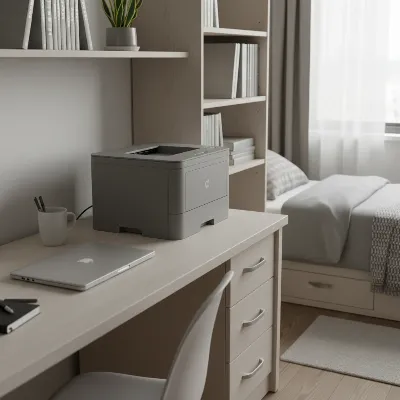 A sleek, compact monochrome laser printer sits on a small dorm room desk next to a laptop.
Comparison Table: Popular Compact Laser Printers
Choosing the right compact laser printer means balancing features, size, and cost. Here’s a comparison of some highly-rated models that are excellent for tiny desks and dorm rooms, focusing on those that offer a blend of compact design and reliable performance.
| Model | Type | Functions | Max Print Speed (PPM) | Duplex Printing | Connectivity | Dimensions (W x D x H) | Key Feature |
|---|---|---|---|---|---|---|---|
| Brother HL-L2460DW | Monochrome | 32 | Auto | Wi-Fi, USB, Ethernet | 14.0 x 14.2 x 7.2 inches | Fast, reliable, affordable running costs | |
| HP LaserJet M110w | Monochrome | 21 | Manual | Wi-Fi, USB, Bluetooth | 13.6 x 7.5 x 6.3 inches | World’s smallest in-class laser printer | |
| HP LaserJet M140we | Monochrome | Print, Scan, Copy | 21 | Manual | Wi-Fi, USB | 14.2 x 10.4 x 7.8 inches | Compact AIO, HP Smart App integration |
| Canon imageCLASS LBP122dw | Monochrome | 30 | Auto | Wi-Fi, USB, Ethernet | 14.7 x 11.5 x 8.8 inches | High-quality output, robust features | |
| Brother DCP-L2640DW | Monochrome AIO | Print, Scan, Copy | 34 | Auto | Wi-Fi, USB, Ethernet | 15.7 x 16.1 x 10.7 inches | Fast AIO, good for higher volumes |
Note: Dimensions and speeds may vary slightly by region and specific configuration. Always verify the latest specifications from the manufacturer.
When considering these models, remember that “compact” for a laser printer is relative. While they are smaller than traditional office lasers, they are still substantial pieces of equipment. The Brother HL-L2460DW and Canon LBP122dw stand out for their robust printing capabilities and automatic duplexing in a relatively small form factor. The HP LaserJet M110w/M140we series are particularly noteworthy for their truly minuscule size, making them perfect for the most constrained spaces.
Factors to Consider When Buying a Compact Laser Printer
Choosing the best compact laser printer for your needs goes beyond just finding the smallest model. A thoughtful evaluation of several key factors will ensure you pick a device that not only fits your space but also meets your printing demands efficiently.
Usage Needs
Before anything else, define what you’ll be printing. Do you primarily need to print black-and-white text documents for school or work, or do you require color capabilities for presentations or graphics? How frequently will you print? If it’s occasional essays, a basic monochrome model is sufficient. If you run a small business from your dorm, an all-in-one with scanning and copying might be more suitable. Consider if features like automatic duplex printing (two-sided printing) are essential for saving paper and time. Your answers here will guide decisions on monochrome vs. color and print-only vs. multifunction.
Budget
Your budget will play a significant role in your choice. Compact laser printers typically have a higher initial purchase price than inkjet printers. However, it’s crucial to look beyond the upfront cost and consider the long-term expense of consumables. Laser printers use toner cartridges, which often have a higher page yield and a lower cost per page than ink cartridges, making them more economical over time for frequent printing. Compare not only the printer’s price but also the cost and availability of replacement toner cartridges.
Features
Modern compact laser printers come packed with various features. Print speed (measured in pages per minute, or PPM) is vital for high-volume users. Print resolution (DPI) affects text sharpness; most compact laser printers offer excellent resolution for documents. Connectivity options are paramount for small spaces; look for Wi-Fi for wireless printing from laptops and mobile devices, USB for direct connection, and sometimes Ethernet for network integration. Automatic duplex printing saves paper, while paper tray capacity impacts how often you need to refill. For multifunction devices, assess the quality and speed of the scanner and copier.
Brand and Reliability
Opting for reputable brands known for printer manufacturing, such as Brother, HP, Canon, and Xerox, generally ensures better reliability, customer support, and easier access to replacement parts and toner. Read user reviews and professional assessments to gauge a printer’s durability and common issues. A good warranty and readily available technical support can save you headaches down the line. Investing in a well-regarded brand often means a more trustworthy product that performs consistently over its lifespan.
> “For students and remote workers in tight spaces, wireless connectivity and a small footprint are non-negotiable. Always measure your available space before buying.” – Dr. Emily Chen, Tech Product Analyst at Gadget Review Pro
Top Compact Laser Printers Currently Favored
When space is at a premium, selecting the right compact laser printer can significantly enhance productivity without cluttering your environment. Here are some of the top models currently favored for their blend of small size, performance, and value, categorized to help you find your perfect match.
For Ultimate Space Saving: HP LaserJet M110w
The HP LaserJet M110w frequently claims the title of one of the world’s smallest laser printers in its class. With incredibly compact dimensions, it can literally fit almost anywhere—from a tiny corner of a desk to a small shelf.
- Pros: Exceptionally small footprint, quick setup via HP Smart App, reliable monochrome printing, wireless connectivity (Wi-Fi and Bluetooth), energy-efficient with Auto On/Off technology.
- Cons: Manual duplex printing (not automatic), lacks scanning/copying functions, lower paper input capacity compared to larger models.
- Ideal for: Students or individuals needing a simple, reliable black-and-white printer for occasional text documents where minimal space is the absolute priority.
For Balanced Performance and Value: Brother HL-L2460DW
The Brother HL-L2460DW is a monochrome laser printer that offers an impressive balance of speed, features, and compact design, making it a strong contender for dorms and small home offices.
- Pros: Fast print speeds (up to 32 PPM), automatic duplex printing, generous 250-sheet paper tray, versatile connectivity (Wi-Fi, USB, Ethernet), affordable toner costs per page.
- Cons: Slightly larger than the HP M110w, print-only (no scan/copy).
- Ideal for: Users with a consistent need for high-quality black-and-white document printing, who value automatic two-sided printing and a larger paper capacity without needing multifunctionality.
For Compact All-in-One Functionality: HP LaserJet MFP M140we
If you need more than just printing, the HP LaserJet MFP M140we packs printing, scanning, and copying into a surprisingly small laser form factor. It offers the convenience of an all-in-one without demanding excessive desk space.
- Pros: Multifunction capabilities (print, scan, copy), compact design for an AIO, Wi-Fi connectivity, integrates with HP Smart App for mobile control and cloud scanning.
- Cons: Manual duplex printing, print speed is modest (21 PPM), HP+ subscription required for some features.
- Ideal for: Students or small home offices that need to perform occasional scanning and copying alongside printing, and desire the space-saving benefits of a single device.
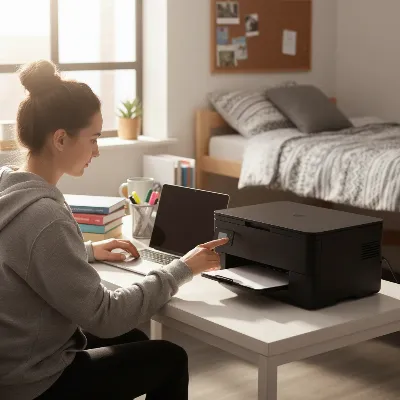 A student efficiently uses a compact multifunction laser printer in a neatly organized dorm room.
For Robust Features in a Small Package: Canon imageCLASS LBP122dw
The Canon imageCLASS LBP122dw is a solid choice for those seeking a durable, high-performing monochrome laser printer with a relatively small footprint and a full suite of connectivity options.
- Pros: Excellent print quality for text, fast print speeds (up to 30 PPM), automatic duplex printing, strong security features, versatile connectivity including Wi-Fi and Ethernet.
- Cons: No scanning or copying functions, slightly heavier than some other compact models.
- Ideal for: Professionals or students who require reliable, high-volume black-and-white printing with professional-grade output and don’t need additional functions.
Conclusion
Choosing the right compact laser printer for your tiny desk or dorm room means finding the perfect balance between size, functionality, and cost-effectiveness. While these printers are generally known for their speed, sharp text, and lower long-term running costs compared to inkjets, remember to prioritize what truly matters for your specific usage patterns. Whether it’s the minuscule footprint of an HP LaserJet M110w for basic printing or the multifunction convenience of an HP LaserJet MFP M140we, there’s a compact laser printer designed to fit seamlessly into your limited space. By carefully considering your printing needs, budget, and desired features, you can confidently select a laser printer that not only saves space but also delivers reliable, high-quality output for years to come. What feature do you value most in a compact printer – size, speed, or multifunctionality?
Frequently Asked Questions
What is the smallest laser printer with automatic duplex printing?
While many compact laser printers offer manual duplex, models like the Brother HL-L2460DW and Canon imageCLASS LBP122dw provide automatic two-sided printing in relatively small form factors. These are excellent choices for saving paper and time without occupying excessive space.
Are compact laser printers expensive to run?
Compact laser printers typically have a higher initial purchase price, but their running costs can be lower than inkjet printers over time. This is because toner cartridges generally yield more pages and do not dry out, making them more economical for frequent, high-volume text printing.
Can compact laser printers print in color?
Yes, some compact laser printers can print in color, such as certain models in HP’s Color LaserJet series or specific Xerox offerings. However, monochrome compact laser printers are more common, generally smaller, and often more affordable upfront and in terms of toner costs.
What connectivity options do compact laser printers offer?
Most compact laser printers offer a range of connectivity options, including USB for direct connection, Wi-Fi for wireless printing from computers and mobile devices, and often Ethernet for network integration. Many also support mobile printing apps like Apple AirPrint and Mopria Print Service.
Are laser printers better than inkjet printers for dorm rooms?
For dorm rooms, laser printers can be an excellent choice, especially for text-heavy academic work, due to their speed, sharp text quality, and toner that doesn’t dry out. While inkjets might be cheaper upfront and better for photos, laser printers often offer better long-term value and reliability for document printing.
