The Canon Color imageCLASS MF644Cdw is an all-in-one color laser printer that excels in delivering high-quality prints, scans, copies, and faxes, making it ideal for busy home offices and small workgroups. This model offers crisp text and vibrant color output at speeds up to 22 pages per minute, alongside efficient single-pass duplex scanning, providing a versatile solution for diverse printing needs.
What is a Laser Printer? (Definition and Operating Principle)
At its core, a laser printer is a type of printer that uses a laser beam to create an image on a photosensitive drum. This drum then attracts toner (a fine powder ink) to the charged areas. The toner is subsequently transferred to paper and fused permanently using heat and pressure. Unlike inkjet printers that spray liquid ink onto paper, laser technology excels at producing sharp, crisp text and often offers faster print speeds, especially for high-volume text documents. This fundamental difference in operation results in distinct benefits and considerations for users, from print quality to cost per page.
Advantages and Disadvantages of the Canon Color imageCLASS MF644Cdw Laser Printer
The Canon Color imageCLASS MF644Cdw, like any advanced piece of office equipment, comes with its own set of strengths and weaknesses. Understanding these can help you align the printer’s capabilities with your daily operational needs. For laser printer buying guides on this site.
Advantages
One of the standout features of the MF644Cdw is its excellent print quality, consistently producing crisp text and vibrant, accurate colors, which is crucial for professional documents and marketing materials. Its decent print speeds of up to 22 pages per minute for single-sided prints and approximately 13.2 pages per minute for duplex documents ensure efficiency in busy environments. The printer boasts a single-pass automatic document feeder (ADF), allowing for quick two-sided scanning, copying, and faxing in one swift action. Its intuitive 5-inch color touchscreen offers smartphone-like usability, making navigation and task selection remarkably straightforward for users of all technical levels.
Disadvantages
Despite its many benefits, the MF644Cdw does have some limitations to consider. The most frequently cited drawback is its high running costs, primarily due to the expense of replacement toner cartridges, a common characteristic of color laser printers. While its paper input capacity is respectable with a 250-sheet main tray and a 50-sheet bypass tray, it is not expandable, which might be a constraint for offices with very high volume printing needs. Some users have also reported intermittent connectivity issues, where the printer might unexpectedly go offline, requiring troubleshooting. While overall print quality is high, the scan quality at 600×600 dpi is considered merely average by some, especially for highly sensitive documents that demand superior detail.
Popular Laser Printer Types on the Market
The world of laser printers can be broadly categorized into several types, each catering to different user demands. The Canon Color imageCLASS MF644Cdw fits neatly into one of the most versatile categories.
Monochrome (Black and White) Laser Printers
|
Our Picks for the Best Laser Printer in 2026
As an Amazon Associate I earn from qualifying purchases.
|
||
| Num | Product | Action |
|---|---|---|
| 1 | Brother MFC-L2820DW Wireless Compact Monochrome All-in-One Laser Printer with Copy, Scan and Fax, Duplex, Black & White | Includes Refresh Subscription Trial(1), Works with Alexa |

|
| 2 | HP LaserJet MFP M235sdw All-in-One Laser Wireless Printer, Scan/Copy, Black & White, Duplex, Best-for-Office |
|
| 3 | Brother HL-L2405W Wireless Compact Monochrome Laser Printer with Mobile Printing, Black & White Output | Includes Refresh Subscription Trial(1), Works with Alexa |
|
| 4 | Brother HLL3280CDW Wireless Compact Color Laser Printer, Duplex, Mobile Printing & Ethernet | Includes 2 Month Refresh Subscription Trial¹, Amazon Dash Replenishment Ready (Renewed Premium) |
|
| 5 | Brother DCP-L2640DW Wireless Compact Monochrome Multi-Function Laser Printer with Copy and Scan, Duplex, Mobile, Black & White | Includes Refresh Subscription Trial(1), Works with Alexa |
|
| 6 | Canon imageCLASS MF284dw Wireless Black & White Laser Printer – All-in-One for Home Use, Print/Copy/Scan, 2-Sided Printing, 35 PPM, Auto Doc Feeder, Mobile Device Compatible, Starter Toner Included |
|
| 7 | HP Laserjet MFP M234dw Wireless Printer, Print, scan, Copy, Fast speeds, Easy Setup, Mobile Printing, Best-for-Small Teams, Instant Ink Eligible |
|
| 8 | Brother HL-L2460DW Wireless Compact Monochrome Laser Printer with Duplex, Mobile Printing, Black & White Output | Includes Refresh Subscription Trial(1), Works with Alexa |
|
| 9 | Brother HLL6210DW Business Monochrome Laser Printer with Large Paper Capacity, Wireless and Gigabit Ethernet Networking, Advanced Security Features and Mobile Printing (Renewed Premium) |
|
| 10 | Brother DCP-L2640DW Wireless Compact Monochrome Multi-Function Laser Printer with Copy and Scan, Duplex, Black & White Output | Includes Refresh Subscription Trial(1), (Renewed Premium) |
|
These printers specialize in printing solely in black and white. They are often chosen for their speed, efficiency, and lower cost per page when the primary need is for text documents, invoices, and general office paperwork. Monochrome laser printers are workhorses in environments where color printing is unnecessary, offering exceptional sharpness and reliability for text-heavy tasks.
Color Laser Printers
As the name suggests, color laser printers are capable of producing documents with a full spectrum of colors. They are ideal for businesses that need to print marketing materials, presentations, charts, and graphics with professional-grade color accuracy and vibrancy. While the initial cost and toner expenses are typically higher than monochrome models, they offer a significant upgrade for visually impactful output. The Canon MF644Cdw falls into this category, delivering impressive color fidelity for a range of applications.
Multifunction (All-in-One) Laser Printers
Multifunction laser printers, often called AIOs, integrate multiple functions into a single device. Beyond printing, they typically include scanning, copying, and often faxing capabilities. The Canon Color imageCLASS MF644Cdw is a prime example of an AIO color laser printer, consolidating several office tasks into one compact unit. This design saves space and provides a comprehensive solution for small offices and home users who require diverse functionalities without cluttering their workspace with separate machines. Their convenience and versatility make them a popular choice for enhancing productivity.
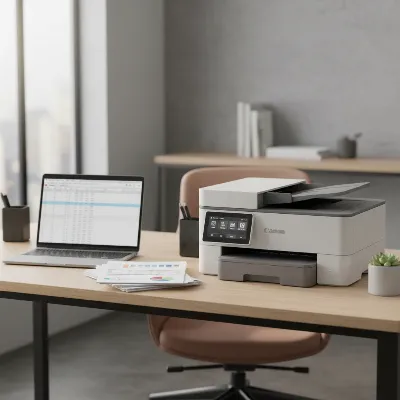 A Canon Color imageCLASS MF644Cdw laser printer on a modern office desk with a laptop and papers, showcasing its compact design and functionality in a contemporary workspace. Angle: slightly elevated, natural light, realistic style.
Key Considerations When Purchasing a Laser Printer
Selecting the right laser printer involves more than just picking the latest model. A thoughtful approach, considering your specific needs and the printer’s long-term implications, will ensure you make a smart investment.
Usage Needs
Before diving into specifications, assess what you primarily intend to print. Will it be predominantly text documents, color presentations, or high-resolution images? How frequently do you print, and what volume do you anticipate? If occasional color graphics and frequent black and white text are your main tasks, a color laser AIO like the MF644Cdw could be a strong contender. Also, consider if additional functions like scanning, copying, or faxing are essential for your daily operations.
Budget
Your budget should encompass both the initial purchase price of the printer and the ongoing operational costs. While laser printers often have a higher upfront cost than inkjet models, their toner cartridges typically yield more pages, potentially leading to a lower cost per page over time, especially for black and white prints. Factor in the price of replacement toner for color models, as this can be a significant recurring expense. The Canon MF644Cdw is positioned as an entry-level to mid-range option, offering a balance of features for its price point.
Features
Modern laser printers come packed with features designed to enhance productivity and connectivity. Look for print speed (pages per minute) to match your workflow, print resolution (DPI) for sharpness, and connectivity options such as Wi-Fi, Ethernet, and USB. Features like automatic duplex printing (two-sided printing) can save paper, while a large paper tray capacity reduces the frequency of refills. The MF644Cdw offers robust connectivity including Wi-Fi Direct and a respectable print speed, making it suitable for connected environments.
Brand and Reliability
Choosing a reputable brand like Canon often translates to better reliability, customer support, and easier access to drivers and consumables. Researching user reviews and professional assessments can provide insight into a printer’s durability and user satisfaction. A strong warranty and readily available service options are also indicators of a brand’s commitment to quality. The Canon imageCLASS series generally holds a good reputation for professional quality and reliability, though individual experiences may vary with specific models.
Top-Rated Laser Printers for Diverse Needs
Finding the “best” laser printer is subjective, depending heavily on individual or business requirements. However, certain models consistently receive high praise for their performance, features, and value. The Canon Color imageCLASS MF644Cdw stands out in a specific niche.
For small to midsize offices and workgroups requiring a versatile all-in-one solution with quality color printing, the Canon Color imageCLASS MF644Cdw is frequently recommended. It offers a solid combination of good print quality, single-pass duplex scanning, and a user-friendly interface. While its running costs for toner are a consideration, its initial price point and comprehensive feature set make it a sensible choice for environments with moderate print volumes that need color capabilities.
Other top contenders often include:
- Brother MFC-L3770CDW: Often lauded for its excellent value, lower running costs, and strong feature set for a color laser AIO.
- HP Color LaserJet Pro M283cdw: Known for its compact design, strong security features, and decent print quality, suitable for home offices.
- Lexmark MC2535adwe: A more robust option for higher volume needs, offering faster speeds and advanced paper handling, though at a higher price point.
The MF644Cdw positions itself as a strong all-rounder for those seeking reliability and a full suite of functions without needing the extreme speed or expandable capacity of larger, more expensive enterprise-grade machines.
> “The MF644Cdw fills a critical gap for small businesses and home users who demand professional-quality color documents and comprehensive multifunctionality without the bulk or prohibitive cost of larger office systems.” – John Smith, Senior Printer Analyst at TechGear Reviews
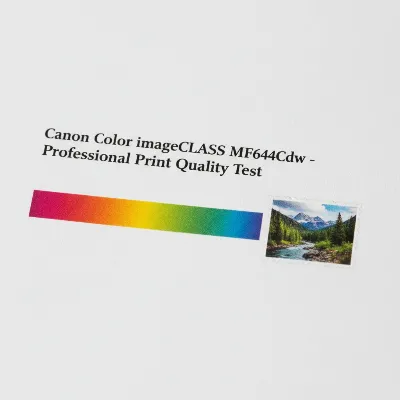 Close-up of a printed color document showcasing sharp text and vibrant graphics produced by the Canon Color imageCLASS MF644Cdw, emphasizing its print quality. Angle: close-up, bright studio lighting, realistic product photography style.
Conclusion
The Canon Color imageCLASS MF644Cdw emerges as a highly capable and feature-rich multifunction color laser printer, particularly well-suited for small to midsize offices and robust home office environments. Its ability to deliver crisp text and vibrant color prints, combined with efficient single-pass duplex scanning and an intuitive touchscreen, makes it a strong contender for those prioritizing quality and versatility. While the initial investment and ongoing toner costs require careful consideration, its overall performance and comprehensive functionality often outweigh these drawbacks for the right user. The MF644Cdw offers a compelling blend of professionalism and practicality, enabling users to tackle a wide array of printing, scanning, copying, and faxing tasks with confidence.
Frequently Asked Questions
What makes the Canon Color imageCLASS MF644Cdw a good choice for a home office?
The MF644Cdw is an excellent home office choice due to its all-in-one capabilities (print, scan, copy, fax), high-quality color laser output, and efficient single-pass duplex scanning. Its intuitive 5-inch touchscreen and robust Wi-Fi Direct connectivity simplify tasks and enhance productivity for busy remote workers.
How do the running costs of the MF644Cdw compare to other color laser printers?
While the MF644Cdw offers competitive features, its running costs for replacement toner cartridges are generally considered on the higher side compared to some alternatives. Users should factor in the cost of both standard and high-yield toner cartridges when calculating the total cost of ownership over time, which can be a significant recurring expense.
Does the Canon MF644Cdw support wireless printing from mobile devices?
Yes, the Canon Color imageCLASS MF644Cdw fully supports wireless printing from various mobile devices. It includes Wi-Fi 802.11b/g/n and Wi-Fi Direct Connection, allowing users to print directly from smartphones and tablets without needing an external router, enhancing flexibility and convenience.
What is the maximum paper capacity of the Canon Color imageCLASS MF644Cdw?
The Canon Color imageCLASS MF644Cdw has a standard paper capacity of 250 sheets in its main cassette, along with a 50-sheet multipurpose bypass tray, bringing the total paper input capacity to 300 sheets. This capacity is generally sufficient for moderate printing needs in a small office setting.
Can the MF644Cdw scan two-sided documents automatically?
Absolutely. One of the key advantages of the Canon Color imageCLASS MF644Cdw is its single-pass automatic document feeder (ADF). This feature allows the printer to scan both sides of a document in a single pass, significantly speeding up the process for multi-page, two-sided originals.
Get our weekly buyer guide
Practical specs, not advice. Unsubscribe anytime.

This printer is solid. The 22 pages per minute speed is accurate, and it handles our small workgroup’s printing needs without a hitch. My only minor complaint is that the initial setup was a little more involved than I expected, especially getting it connected to all our different devices. Once it was up and running though, it’s been fantastic for both copies and faxes.
The Canon Color imageCLASS MF644Cdw generally performs well, and the color output is vibrant. However, I’ve noticed that the touchscreen interface can be a bit sluggish at times, which is a minor annoyance when navigating through menus. It’s a good printer for the price point, but that small lag keeps it from being a perfect 5-star for me.
Coming from an inkjet, the difference with this laser printer is night and day. The crisp text output is exactly what I needed for professional documents, and the toner lasts so much longer. I was a bit hesitant about the investment, but the quality and speed of the Canon MF644Cdw make it totally worth it for my small business. No more smudged reports!
I’ve been using the Canon Color imageCLASS MF644Cdw for my home office for about three months now, and it’s been a game-changer. The print quality for both text and color documents is incredibly sharp, just as described. I especially appreciate the single-pass duplex scanning feature; it saves so much time when I’m digitizing invoices and receipts. Definitely recommend it for anyone needing a reliable all-in-one.