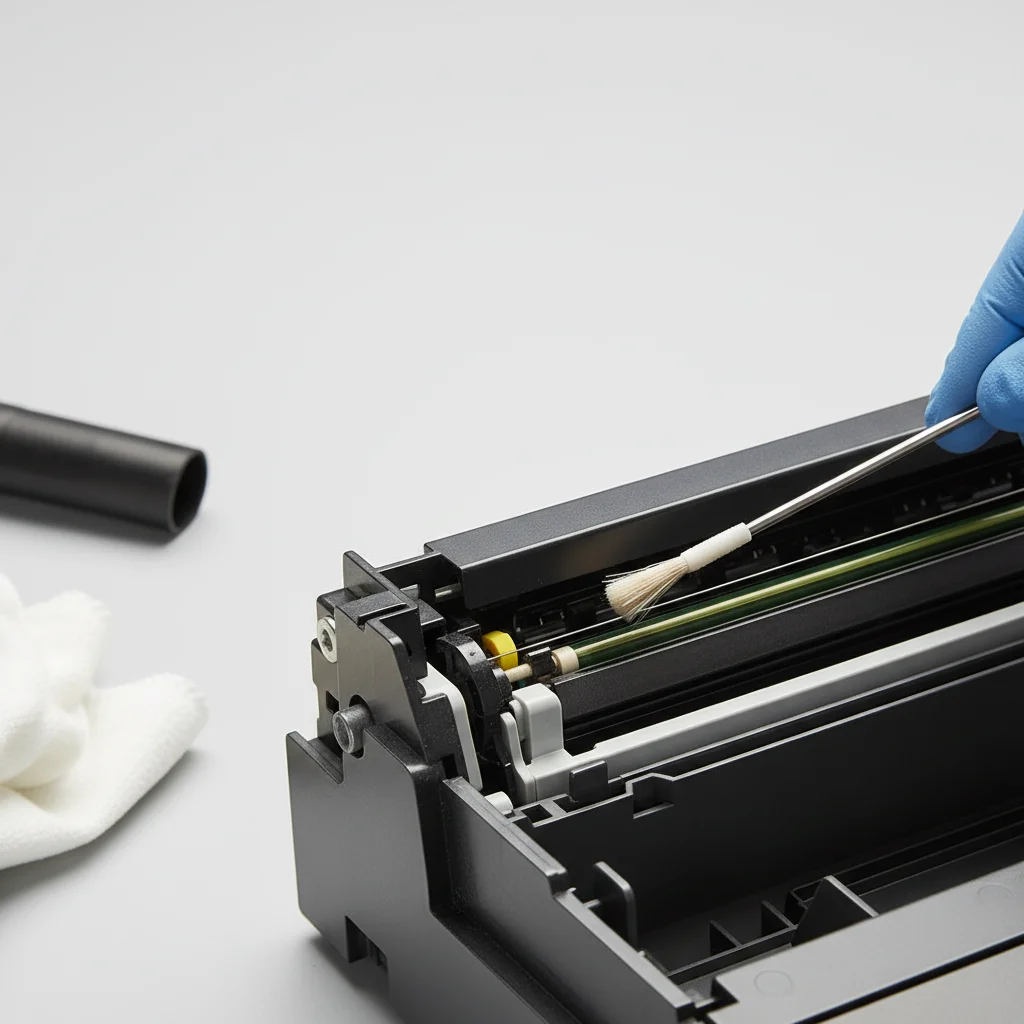
Cleaning the corona wire in your laser printer is a crucial maintenance step that can significantly improve print quality and extend the life of your device. You should aim to clean the corona wire every 5,000 to 10,000 pages, or whenever you notice streaking, smudging, or light prints. This component, often overlooked, plays a vital role in the electrostatic process that transfers toner to paper.
What is the Corona Wire and Why is it Important?
The corona wire, also known as the charging roller or primary charge roller, is a thin wire or roller located within the toner cartridge or drum unit. Its primary function is to apply a uniform electrostatic charge to the photoreceptor drum. This charge allows the laser to draw an image onto the drum, which then attracts toner particles. Over time, toner dust, paper fibers, and other debris can accumulate on the corona wire, hindering its ability to apply a consistent charge. This leads to common print quality issues such as faded areas, streaks, or ghosting. For laser printer buying guides on this site.
Signs Your Corona Wire Needs Cleaning
Recognizing the symptoms of a dirty corona wire can save you from unnecessary troubleshooting. The most common indicators include vertical streaks or lines on your prints, especially light or white lines. You might also notice a general fading of print, or areas where the toner appears unevenly distributed. Ghosting, where a faint image of a previous print appears on subsequent pages, is another strong sign. If you’re experiencing any of these issues, a simple cleaning of the corona wire is often the solution.
Step-by-Step Guide to Cleaning the Corona Wire
|
Our Picks for the Best Laser Printer in 2026
As an Amazon Associate I earn from qualifying purchases.
|
||
| Num | Product | Action |
|---|---|---|
| 1 | Brother MFC-L2820DW Wireless Compact Monochrome All-in-One Laser Printer with Copy, Scan and Fax, Duplex, Black & White | Includes Refresh Subscription Trial(1), Works with Alexa |

|
| 2 | Canon imageCLASS MF284dw Wireless Black & White Laser Printer – All-in-One for Home Use, Print/Copy/Scan, 2-Sided Printing, 35 PPM, Auto Doc Feeder, Mobile Device Compatible, Starter Toner Included |
|
| 3 | Brother DCP-L2640DW Wireless Compact Monochrome Multi-Function Laser Printer with Copy and Scan, Duplex, Mobile, Black & White | Includes Refresh Subscription Trial(1), Works with Alexa |
|
| 4 | Brother HL-L2405W Wireless Compact Monochrome Laser Printer with Mobile Printing, Black & White Output | Includes Refresh Subscription Trial(1), Works with Alexa |
|
| 5 | Brother HLL6210DW Business Monochrome Laser Printer with Large Paper Capacity, Wireless and Gigabit Ethernet Networking, Advanced Security Features and Mobile Printing (Renewed Premium) |
|
| 6 | HP LaserJet MFP M235sdw All-in-One Laser Wireless Printer, Scan/Copy, Black & White, Duplex, Best-for-Office |
|
| 7 | Brother DCP-L2640DW Wireless Compact Monochrome Multi-Function Laser Printer with Copy and Scan, Duplex, Black & White Output | Includes Refresh Subscription Trial(1), (Renewed Premium) |
|
| 8 | HP Laserjet MFP M234dw Wireless Printer, Print, scan, Copy, Fast speeds, Easy Setup, Mobile Printing, Best-for-Small Teams, Instant Ink Eligible |
|
| 9 | Brother HLL3280CDW Wireless Compact Color Laser Printer, Duplex, Mobile Printing & Ethernet | Includes 2 Month Refresh Subscription Trial¹, Amazon Dash Replenishment Ready (Renewed Premium) |
|
| 10 | Brother HL-L2460DW Wireless Compact Monochrome Laser Printer with Duplex, Mobile Printing, Black & White Output | Includes Refresh Subscription Trial(1), Works with Alexa |
|
Before you begin, always turn off and unplug your laser printer to prevent any electrical hazards. Allow the printer to cool down for at least 15-20 minutes, as internal components can be hot. Consult your printer’s manual for specific instructions on accessing the toner cartridge or drum unit, as procedures can vary between models. Most printers have a small, often blue or green, cleaning tool integrated into the drum unit. This tool is designed to slide back and forth along the corona wire to remove debris. If your printer doesn’t have an integrated tool, you may need to gently wipe the wire with a lint-free cloth, being extremely careful not to damage the delicate wire.
- Turn off and unplug the printer.
- Open the front cover and remove the toner cartridge and drum unit assembly.
- Locate the corona wire (often a thin wire or roller inside the drum unit).
- Use the built-in cleaning tool (if available) to slide back and forth several times.
- If no tool, gently wipe with a dry, lint-free cloth.
Reassembly and Testing
Once the corona wire is clean, carefully reinsert the toner cartridge and drum unit back into the printer. Close all covers and plug the printer back in. Turn it on and print a test page. You should immediately notice an improvement in print quality, with clearer text and images, and the absence of streaks or smudges. Regular cleaning, combined with using high-quality toner and paper, will ensure your laser printer continues to produce professional-looking documents for years to come. For optimal performance, consider using genuine manufacturer toner cartridges.
Preventative Measures and Best Practices
To minimize the frequency of corona wire cleaning, adopt a few best practices. Always use high-quality paper that is free of excessive dust and debris. Avoid overfilling the paper tray, as this can lead to paper jams and introduce more contaminants into the printer. Store toner cartridges in a cool, dry place to prevent toner clumping. While third-party toner can be a cost-effective option, some lower-quality alternatives may produce more toner dust, necessitating more frequent cleaning. Investing in a reliable laser printer from a reputable brand can also reduce maintenance headaches.
Get our weekly buyer guide
Practical specs, not advice. Unsubscribe anytime.

The instructions were pretty clear for cleaning the corona wire, but it was a bit fiddly to get to in my specific printer model. I managed it eventually, and the smudging has improved, but it wasn’t as straightforward as I hoped. Still, it’s better than buying a whole new drum.
Who knew such a small component could make such a big difference? I was getting ready to buy a new laser printer because of consistent smudges, but after following the steps to clean the primary charge roller, my old one is printing perfectly. This saved me a lot of money and hassle. Highly recommend this maintenance tip!
I’ve been having issues with streaky prints for weeks and couldn’t figure out why. This guide on cleaning the corona wire was a lifesaver! My prints are crisp and clear again, just like when I first got my printer. It was surprisingly easy to do, and I’m so glad I didn’t have to call a technician.
Great advice on maintaining print quality. I usually just replace the toner cartridge when I see light prints, but cleaning the corona wire makes a lot more sense for extending the life of the drum unit. I’ll definitely be adding this to my routine every 5,000 pages. Wish I’d known about this sooner!