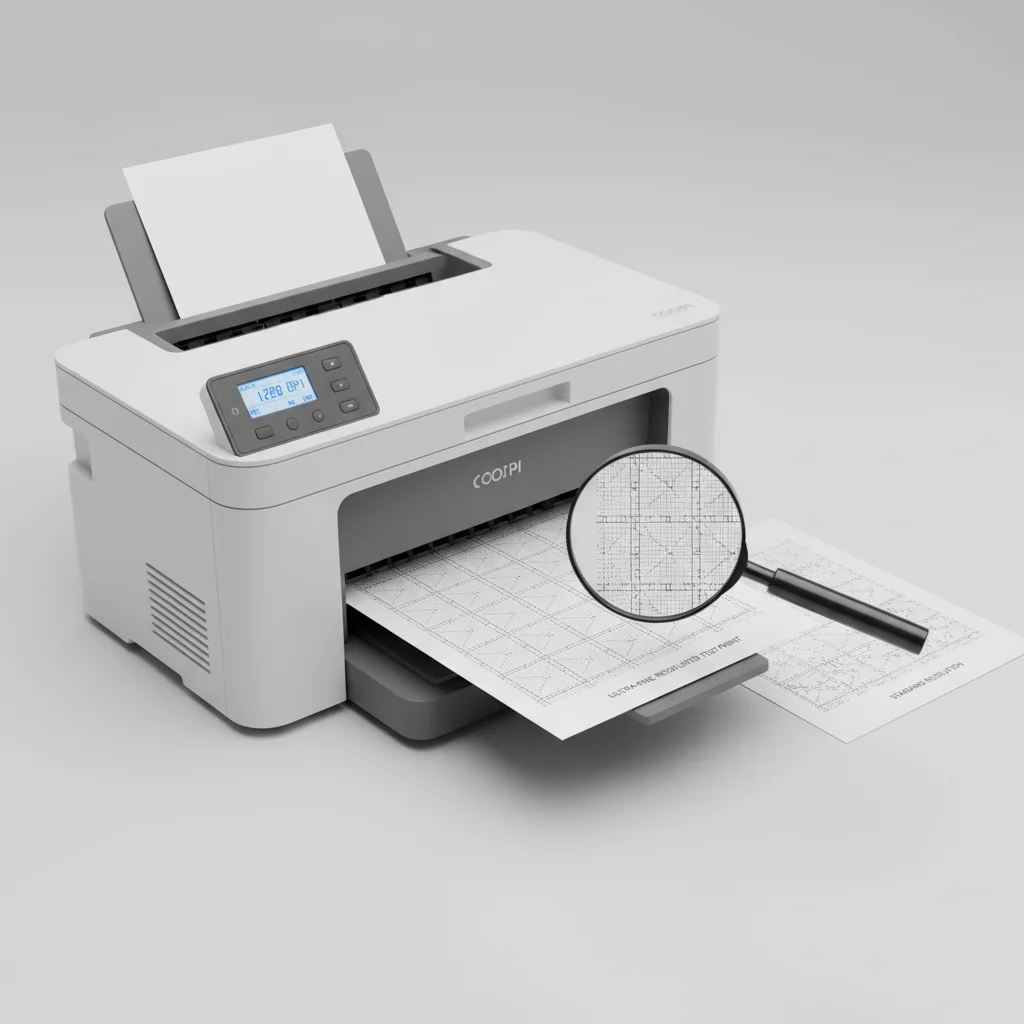
Understanding laser printer resolution, measured in dots per inch (DPI), is crucial for achieving crisp, professional-looking prints. For most home and office users, a resolution of 600 DPI is perfectly adequate for text documents and basic graphics. However, if you frequently print high-quality images, detailed schematics, or marketing materials, you might benefit from a printer offering 1200 DPI or even higher.
What Does DPI Mean for Your Prints?
DPI directly correlates to the sharpness and detail of your printed output. A higher DPI means the printer can place more individual dots of toner within a square inch, resulting in finer lines, smoother gradients, and more accurate color reproduction. For standard text documents, the difference between 300 DPI and 600 DPI might be subtle, but for photographs or intricate designs, the improvement is often quite noticeable.
Common Resolution Standards Explained
Most laser printers available today offer a minimum resolution of 600 x 600 DPI. This is considered the industry standard for general-purpose printing. Some models feature enhanced resolutions, often achieved through software interpolation, which can simulate higher DPI values. True hardware resolution, however, is what truly dictates the printer’s capability. For professional graphic design or photography, look for printers with native 1200 x 1200 DPI or even 2400 x 600 DPI, which provides excellent detail for images while maintaining efficient text printing.
When Is Higher DPI Essential?
|
Our Picks for the Best Laser Printer in 2026
As an Amazon Associate I earn from qualifying purchases.
|
||
| Num | Product | Action |
|---|---|---|
| 1 | HP LaserJet MFP M235sdw All-in-One Laser Wireless Printer, Scan/Copy, Black & White, Duplex, Best-for-Office |

|
| 2 | Brother MFC-L2820DW Wireless Compact Monochrome All-in-One Laser Printer with Copy, Scan and Fax, Duplex, Black & White | Includes Refresh Subscription Trial(1), Works with Alexa |
|
| 3 | Brother HL-L2460DW Wireless Compact Monochrome Laser Printer with Duplex, Mobile Printing, Black & White Output | Includes Refresh Subscription Trial(1), Works with Alexa |
|
| 4 | Brother HLL3280CDW Wireless Compact Color Laser Printer, Duplex, Mobile Printing & Ethernet | Includes 2 Month Refresh Subscription Trial¹, Amazon Dash Replenishment Ready (Renewed Premium) |
|
| 5 | Brother HLL6210DW Business Monochrome Laser Printer with Large Paper Capacity, Wireless and Gigabit Ethernet Networking, Advanced Security Features and Mobile Printing (Renewed Premium) |
|
| 6 | HP Laserjet MFP M234dw Wireless Printer, Print, scan, Copy, Fast speeds, Easy Setup, Mobile Printing, Best-for-Small Teams, Instant Ink Eligible |
|
| 7 | Brother HL-L2405W Wireless Compact Monochrome Laser Printer with Mobile Printing, Black & White Output | Includes Refresh Subscription Trial(1), Works with Alexa |
|
| 8 | Brother DCP-L2640DW Wireless Compact Monochrome Multi-Function Laser Printer with Copy and Scan, Duplex, Mobile, Black & White | Includes Refresh Subscription Trial(1), Works with Alexa |
|
| 9 | Brother DCP-L2640DW Wireless Compact Monochrome Multi-Function Laser Printer with Copy and Scan, Duplex, Black & White Output | Includes Refresh Subscription Trial(1), (Renewed Premium) |
|
| 10 | Canon imageCLASS MF284dw Wireless Black & White Laser Printer – All-in-One for Home Use, Print/Copy/Scan, 2-Sided Printing, 35 PPM, Auto Doc Feeder, Mobile Device Compatible, Starter Toner Included |
|
While 600 DPI is sufficient for many tasks, certain applications demand higher resolution. Consider upgrading if your printing needs include:
- High-resolution photographs or art prints
- Detailed architectural drawings or engineering schematics
- Marketing brochures, flyers, or presentations with intricate graphics
- Documents requiring very small font sizes or fine line work
- Professional-grade color accuracy and smooth tonal transitions
For these specialized tasks, investing in a printer with superior resolution capabilities will significantly enhance the quality and impact of your printed materials.
Balancing Resolution with Print Speed and Cost
It’s important to remember that higher resolution often comes with trade-offs. Printers with very high DPI can sometimes print at a slower speed, as the print head needs to lay down more dots per inch. Additionally, these printers may consume more toner and can be more expensive to purchase initially. Therefore, it’s essential to balance your resolution needs with your budget and desired print speed. For everyday office tasks, a 600 DPI printer offers an excellent balance of quality, speed, and cost-effectiveness.
Testing Your Printer’s Resolution
To truly understand your current printer’s capabilities, you can print a test page with various font sizes, line patterns, and images. Examine the output closely with a magnifying glass if necessary. Look for crisp edges, smooth curves, and absence of jagged lines or pixelation. This hands-on test will help you determine if your current resolution meets your expectations or if an upgrade is warranted for specific projects.
Get our weekly buyer guide
Practical specs, not advice. Unsubscribe anytime.
