For a home office, the best laser printer delivers crisp, professional results quickly and cost-effectively. Laser printers use a dry electrostatic process with toner powder, offering superior speed and precision for text documents compared to inkjet models. They are ideal for home offices due to their fast print speeds (e.g., 36 PPM for Brother HL-L2460DW), sharp text quality, low cost per page (as low as $0.025 for monochrome), and smudge-proof prints. This guide details the types, advantages, disadvantages, and top models for 2026.
What is a Laser Printer? (Definition and Operating Principle)
A laser printer is a type of printer that uses a laser beam to produce a high-quality image. Unlike inkjet printers that spray liquid ink through tiny nozzles, laser printers employ a dry electrostatic printing process. At its core, a laser printer works by rapidly scanning a laser beam across a photosensitive drum, creating an electrostatic image. This image then attracts toner powder, which is a fine, dry, plastic-based substance. The toner is subsequently transferred to the paper and permanently fused onto it using heat and pressure from a fuser unit.
This sophisticated technology allows laser printers to deliver superior speed and precision, especially for text-based documents. The toner-based process ensures prints are smudge-proof and water-resistant immediately after exiting the machine, a distinct advantage over many inkjet counterparts. While early laser printers were bulky and exclusively monochrome, advancements have led to compact, affordable color laser models and versatile multifunction devices, making them increasingly popular for both home and business environments.
Advantages and Disadvantages of Laser Printers
Understanding the inherent strengths and weaknesses of laser printers is crucial when deciding if this technology is the right fit for your home office. While they offer significant benefits, there are also a few trade-offs to consider.
Advantages
Laser printers are celebrated for several key attributes that make them ideal for productivity-focused home offices:
- Fast Print Speeds: One of the most significant advantages of laser printers is their speed. They can churn out dozens of pages per minute, making them far more efficient for large print jobs compared to most inkjet printers. This speed is especially noticeable with monochrome documents.
- Sharp, High-Quality Prints: Laser technology excels at producing incredibly crisp, sharp text with precise lines and graphics. This makes them perfect for professional documents, reports, contracts, and other text-heavy materials where clarity is paramount.
- Low Cost Per Page (CPP): While toner cartridges might seem expensive upfront, they yield significantly more pages than ink cartridges, especially for monochrome printing. This translates to a much lower cost per page over the long term, reducing operational expenses for high-volume users.
- Durability and Reliability: Designed for demanding environments, laser printers are built to last. They tend to be more robust, require less frequent maintenance, and are less prone to issues like clogged printheads that can plague inkjet models if not used regularly.
- Smudge and Water Resistance: Since toner is fused to the paper using heat, laser prints are immediately dry, smudge-proof, and highly resistant to water, ensuring documents remain pristine even in damp conditions or with accidental spills.
Disadvantages
|
Our Picks for the Best Laser Printer in 2026
As an Amazon Associate I earn from qualifying purchases.
|
||
| Num | Product | Action |
|---|---|---|
| 1 | Brother HLL3280CDW Wireless Compact Color Laser Printer, Duplex, Mobile Printing & Ethernet | Includes 2 Month Refresh Subscription Trial¹, Amazon Dash Replenishment Ready (Renewed Premium) |

|
| 2 | HP LaserJet MFP M235sdw All-in-One Laser Wireless Printer, Scan/Copy, Black & White, Duplex, Best-for-Office |
|
| 3 | Brother DCP-L2640DW Wireless Compact Monochrome Multi-Function Laser Printer with Copy and Scan, Duplex, Black & White Output | Includes Refresh Subscription Trial(1), (Renewed Premium) |
|
| 4 | Brother MFC-L2820DW Wireless Compact Monochrome All-in-One Laser Printer with Copy, Scan and Fax, Duplex, Black & White | Includes Refresh Subscription Trial(1), Works with Alexa |
|
| 5 | Brother HLL6210DW Business Monochrome Laser Printer with Large Paper Capacity, Wireless and Gigabit Ethernet Networking, Advanced Security Features and Mobile Printing (Renewed Premium) |
|
| 6 | Brother HL-L2405W Wireless Compact Monochrome Laser Printer with Mobile Printing, Black & White Output | Includes Refresh Subscription Trial(1), Works with Alexa |
|
| 7 | HP Laserjet MFP M234dw Wireless Printer, Print, scan, Copy, Fast speeds, Easy Setup, Mobile Printing, Best-for-Small Teams, Instant Ink Eligible |
|
| 8 | Brother DCP-L2640DW Wireless Compact Monochrome Multi-Function Laser Printer with Copy and Scan, Duplex, Mobile, Black & White | Includes Refresh Subscription Trial(1), Works with Alexa |
|
| 9 | Canon imageCLASS MF284dw Wireless Black & White Laser Printer – All-in-One for Home Use, Print/Copy/Scan, 2-Sided Printing, 35 PPM, Auto Doc Feeder, Mobile Device Compatible, Starter Toner Included |
|
| 10 | Brother HL-L2460DW Wireless Compact Monochrome Laser Printer with Duplex, Mobile Printing, Black & White Output | Includes Refresh Subscription Trial(1), Works with Alexa |
|
Despite their many benefits, laser printers do come with certain drawbacks:
- Higher Initial Purchase Price: Laser printers typically have a higher upfront cost than equivalent inkjet models. This initial investment can be a barrier for budget-conscious buyers, although the long-term savings often justify it.
- Larger Footprint: Many laser printers, particularly color or multifunction models, tend to be larger and heavier than inkjet printers, requiring more desk space. This can be a concern for compact home office setups.
- Limited Photo Printing Quality (for some models): While color laser printers have improved dramatically, dedicated photo inkjet printers still generally offer superior color accuracy, smoother gradients, and better detail for high-resolution photo printing.
- Warm-up Time: Laser printers need to warm up their fuser unit before the first page prints, which can lead to a slight delay for initial print jobs. This is usually very brief but can be noticeable compared to inkjets that print almost instantly.
- Ozone Emissions: Some older or less efficient laser printers can emit small amounts of ozone during operation, although modern designs have significantly reduced this. Proper ventilation in a home office is always recommended.
Types of Laser Printers Popular in the Market
The laser printer market offers a variety of configurations tailored to different needs and budgets. For a home office, understanding these categories is key to selecting the right device.
Monochrome Laser Printers (Black and White)
Monochrome laser printers are the workhorses of the home office. They specialize in printing black and white documents, offering exceptional speed and text quality. These printers are ideal for users whose primary need is to print reports, invoices, contracts, and other text-heavy documents. They boast the lowest cost per page because they only use a single black toner cartridge, which typically yields thousands of pages. Their simplicity often translates to a more compact design and a lower initial purchase price compared to color models.
Example Models: Brother HL-L2460DW, HP LaserJet M209d, Canon imageCLASS LBP6030w.
Color Laser Printers
When your home office requires documents with vibrant charts, colorful presentations, or occasional marketing materials, a color laser printer is the answer. These machines use four toner cartridges (black, cyan, magenta, and yellow) to produce full-color prints. While the cost per page is higher than monochrome lasers, it remains competitive for color documents compared to many inkjets, especially for higher print volumes. Color laser printers deliver professional-looking color graphics and text, making them suitable for businesses that need to make a strong visual impact.
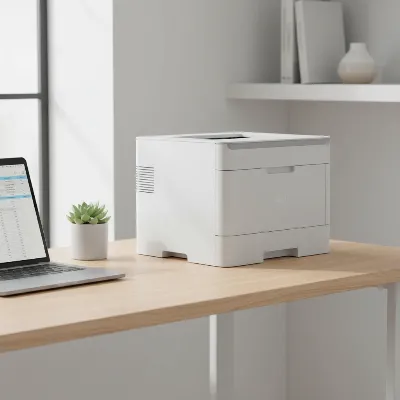 A sleek, compact color laser printer sitting on a modern home office desk with a laptop and a plant.
Example Models: Brother HL-L3220CDW, HP Color LaserJet Pro 4201dw, Xerox C235.
Multifunction Laser Printers (All-in-One – MFP)
Multifunction laser printers, also known as All-in-One (AIO) printers, combine printing, scanning, copying, and often faxing capabilities into a single device. These are incredibly popular for home offices because they maximize functionality while minimizing footprint. An MFP can handle a wide range of tasks, from digitizing documents to sending faxes, making it a versatile hub for your office operations. Both monochrome and color versions of MFPs are available, providing options for different needs and budgets. They often feature automatic document feeders (ADF) for scanning multiple pages and automatic duplexing for two-sided printing and scanning.
Example Models: Brother MFC-L3780CDW, HP LaserJet Pro MFP 4101fdw, Canon Color imageCLASS MF665Cdw.
Comparison Table of Popular Laser Printers for Home Office (2026)
Choosing among the many options can be daunting. Here’s a comparison of some highly-rated laser printers popular in 2026, focusing on models suitable for home office environments. This table highlights key specifications to help you quickly assess which printer aligns best with your needs.
| Model | Type | Functions | Print Speed (PPM Mono/Color) | Resolution (DPI) | Connectivity | Auto Duplex Print/Scan | Est. Mono CPP | Price Range (USD) | Best For |
|---|---|---|---|---|---|---|---|---|---|
| Brother HL-L2460DW | Monochrome | 36 / N/A | 2400 x 600 | Wi-Fi, Ethernet, USB | Yes / No | $0.025 | $180 – $220 | High-volume B&W text, budget-friendly | |
| HP LaserJet Pro MFP 4101fdw | Monochrome | Print, Scan, Copy, Fax | 42 / N/A | 1200 x 1200 | Wi-Fi, Ethernet, USB | Yes / Yes | $0.028 | $400 – $480 | Busy home offices needing all-in-one B&W |
| Brother HL-L3220CDW | Color | 19 / 19 | 2400 x 600 | Wi-Fi, Ethernet, USB | Yes / No | $0.028 | $280 – $320 | Affordable color printing, moderate volume | |
| Canon Color imageCLASS MF665Cdw | Color | Print, Scan, Copy, Fax | 26 / 26 | 1200 x 1200 | Wi-Fi, Ethernet, USB | Yes / Yes | $0.035 | $450 – $550 | Professional color documents, robust AIO |
| HP Color LaserJet Pro MFP 4301fdw | Color | Print, Scan, Copy, Fax | 35 / 35 | 600 x 600 | Wi-Fi, Ethernet, USB, Bluetooth | Yes / Yes | $0.032 | $600 – $700 | High-volume color, advanced features, security |
| Xerox C235 | Color | Print, Scan, Copy, Fax | 24 / 24 | 600 x 600 | Wi-Fi, Ethernet, USB | Yes / Yes | $0.040 | $400 – $480 | Compact color AIO, ease of use |
Note: Prices are estimates and can vary. CPP (Cost Per Page) figures are approximate and based on high-yield toner cartridges.
Factors to Consider When Buying a Laser Printer (Buying Guide)
Selecting the best laser printer for your home office involves careful consideration of several factors. Here’s a comprehensive buying guide to help you make an informed decision:
Usage Needs
Begin by assessing your primary printing requirements.
- What type of documents do you print? If it’s mostly text documents like reports, invoices, or simple forms, a monochrome laser printer will be the most cost-effective and efficient choice. If you regularly print presentations, marketing materials, or documents with color graphics and images, a color laser printer is necessary.
- What is your printing frequency and volume? For occasional printing (a few pages a week), an entry-level model will suffice. For moderate to high-volume printing (hundreds of pages weekly), look for models with higher page yields, larger paper trays, and faster print speeds to handle the workload efficiently.
- Do you need multifunction capabilities? Consider if you need to scan, copy, or fax documents in addition to printing. If so, an all-in-one (MFP) laser printer will save space and integrate these functions seamlessly.
Budget
Your budget will influence the range of options available, but it’s important to look beyond the initial purchase price.
- Initial Printer Cost: Laser printers generally have a higher upfront cost than inkjet printers, with multifunction and color models being more expensive than basic monochrome printers.
- Toner and Running Costs: This is where laser printers often shine. Toner cartridges, while more expensive initially, typically last much longer, resulting in a significantly lower cost per page over the printer’s lifespan. Research the cost of replacement toner cartridges and their estimated page yields for any model you consider. Some brands offer high-yield cartridges that provide even better long-term value.
- Repair and Maintenance Costs: Laser printers are generally robust, but when repairs are needed, they can sometimes be more complex and costly due to specialized components like the fuser unit. Look for models with good warranty coverage and available support.
Key Features
Modern laser printers come packed with features designed to enhance productivity and convenience.
- Print Speed (PPM): Measured in pages per minute, print speed is crucial for high-volume users. Monochrome laser printers typically offer faster speeds (30-40+ PPM) than color laser printers (15-30 PPM).
- Print Resolution (DPI): Measured in dots per inch, resolution determines print sharpness. For crisp text, even 600×600 DPI is usually sufficient, but higher resolutions (1200×1200 DPI) can provide finer detail, especially for graphics.
- Connectivity Options:
- Wi-Fi: Essential for wireless printing from multiple devices (laptops, smartphones, tablets) in a home office. Look for dual-band Wi-Fi for more stable connections.
- Ethernet: Provides a stable, wired network connection, ideal for shared printers or when Wi-Fi is unreliable.
- USB: A standard direct connection to a single computer.
- Mobile Printing Apps: Support for Apple AirPrint, Mopria Print Service, or proprietary brand apps allows for seamless printing from mobile devices.
- Automatic Duplex Printing: This feature automatically prints on both sides of a page, saving paper and reducing environmental impact. It’s a must-have for most home offices.
- Automatic Document Feeder (ADF): If you frequently scan or copy multi-page documents, an ADF (especially one with duplex scanning) is invaluable, allowing you to load a stack of pages for automated processing.
- Paper Handling: Consider the paper tray capacity (how many sheets it can hold) and whether there’s a manual feed slot for specialty media like envelopes or thicker paper. A larger capacity means less frequent refilling.
- Touchscreen Interface: A color touchscreen can make navigating menus, managing print jobs, and accessing features much more intuitive and user-friendly.
Brand and Reliability
Choosing a reputable brand can provide peace of mind regarding quality, support, and driver availability.
- Trusted Brands: Brother, HP, Canon, and Xerox are leading manufacturers with a long history of producing reliable laser printers.
- User Reviews and Ratings: Always check independent reviews and ratings from other home office users. These can provide real-world insights into a printer’s performance, ease of use, and common issues.
- Warranty and Support: Understand the manufacturer’s warranty policy and the availability of customer support and service centers. A good warranty can protect your investment.
> “For a home office, prioritize low long-term running costs and multifunctionality. A monochrome laser MFP with duplexing and Wi-Fi often hits the sweet spot for most users.” – Dr. Emily Chen, Senior Printing Technology Analyst.
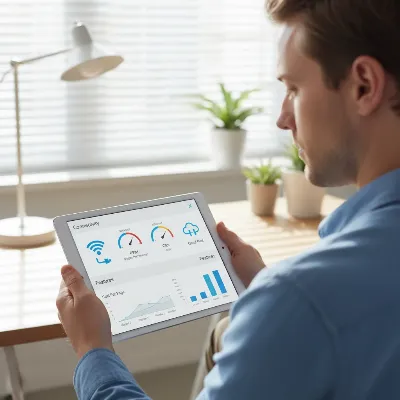 A person contemplating different laser printer features on a tablet screen, surrounded by small icons representing connectivity, speed, and duplex printing.
Top Laser Printers Recommended for Home Offices in 2026
Based on performance, features, value, and reliability, here are some of the top laser printers highly recommended for home offices in 2026, segmented by typical user needs.
Best Overall Monochrome All-in-One: HP LaserJet Pro MFP 4101fdw
The HP LaserJet Pro MFP 4101fdw stands out as an excellent all-rounder for any home office needing efficient monochrome printing and multifunction capabilities. It boasts impressive print speeds of up to 42 pages per minute, coupled with a high-resolution output for consistently sharp text. Its all-in-one features (print, scan, copy, fax), automatic duplex printing and scanning, and robust connectivity options (Wi-Fi, Ethernet, USB) make it highly versatile. The integrated HP Wolf Pro Security offers peace of mind for sensitive documents. While its footprint is slightly larger than print-only models, its comprehensive feature set and performance justify the space.
Best Budget-Friendly Monochrome: Brother HL-L2460DW
For those primarily needing fast, reliable black-and-white printing without the bells and whistles of an MFP, the Brother HL-L2460DW is a phenomenal choice. It delivers crisp documents at a speedy 36 PPM and includes automatic duplex printing, which is excellent for saving paper. Its compact design fits well in smaller spaces, and the low cost per page for toner makes it exceptionally economical over time. Wi-Fi connectivity and support for the Brother mobile app ensure convenient printing from various devices. It’s a dependable workhorse for text-focused home office tasks.
Best Color Laser for Quality and Value: Brother HL-L3220CDW
If color printing is a regular need but you want to keep costs in check, the Brother HL-L3220CDW offers a fantastic balance of quality and affordability. This print-only color laser printer produces vibrant graphics and sharp text at speeds of up to 19 PPM for both monochrome and color. It supports automatic duplex printing and offers reliable wireless connectivity, making it a great option for professional presentations and colorful reports. Its competitive toner costs contribute to a lower total cost of ownership compared to many other color laser options, making it a smart investment for moderate color printing volumes.
Best All-in-One Color for Professional Use: Canon Color imageCLASS MF665Cdw
The Canon Color imageCLASS MF665Cdw is designed for home offices or small businesses that demand high-quality color prints and a full suite of multifunction features. This robust all-in-one printer delivers impressive print speeds of 26 PPM in both color and monochrome, along with excellent color accuracy for charts, reports, and client presentations. It features a responsive touchscreen, automatic duplex printing and scanning via its ADF, and a solid paper capacity. With high-yield toner options and durable build quality, it’s a long-term asset for demanding professional environments, ensuring documents always look polished and consistent.
Best Compact Color All-in-One: Xerox C235
The Xerox C235 is an excellent option for home offices where space is at a premium but color multifunctionality is still required. Despite its compact size, it doesn’t compromise on features, offering printing, scanning, copying, and faxing. It prints at a respectable 24 PPM with good color output and supports automatic duplex printing. Its ease of setup, often managed through an intuitive app, and seamless integration with mobile printing services like AirPrint make it very user-friendly. While its toner yields might be slightly lower than some larger models, its small footprint and versatility make it a strong contender for tight workspaces.
Conclusion
Choosing the right laser printer for your home office in 2026 is an investment in your productivity and professional output. By understanding the core technology, assessing your specific usage needs, and carefully weighing the features and costs, you can select a device that not only meets but exceeds your expectations. From the rapid, cost-effective monochrome workhorses like the Brother HL-L2460DW and HP LaserJet Pro MFP 4101fdw, to the vibrant and versatile color options such as the Brother HL-L3220CDW and Canon Color imageCLASS MF665Cdw, there’s a perfect laser printer out there to streamline your workflow.
The best laser printer for you is one that aligns with your document types, print volume, available space, and budget, ensuring you get crisp, reliable prints without the constant hassle of maintenance. What will be the most impactful upgrade for your home office printing this year?
Frequently Asked Questions
Frequently Asked Questions
What is the typical lifespan of a laser printer?
A well-maintained laser printer can typically last 5 to 10 years or even longer, depending on its build quality and usage. Commercial-grade models often have higher duty cycles, designed for greater longevity than consumer versions.
Are laser printers better for occasional printing than inkjet printers?
Yes, laser printers are generally better for occasional printing because toner powder does not dry out and clog printheads like liquid ink can. This makes them more reliable for users who print infrequently, as they can sit idle for long periods without issues.
Can laser printers print high-quality photos?
While color laser printers can print photos, they generally do not produce the same level of photo quality as dedicated photo inkjet printers, especially regarding color depth and fine detail. They excel at business graphics, charts, and text where sharp lines are important.
What does 'duty cycle' mean for laser printers?
The 'duty cycle' refers to the maximum number of pages a printer can print in a month without excessive wear and tear. For home offices, it's wise to choose a printer whose recommended monthly print volume matches or slightly exceeds your typical usage to ensure durability.
Is it expensive to replace toner cartridges for laser printers?
While the initial cost of a single toner cartridge can seem high, they typically yield significantly more pages (often thousands) than ink cartridges. This results in a lower cost per page over the long run, making laser printers more economical for high-volume text printing despite the higher upfront toner cost.
How to Choose the Best Laser Printer for Your Home Office
Selecting the ideal laser printer for your home office involves evaluating your printing needs, budget, and desired features to ensure optimal productivity and cost-efficiency.
Determine if you primarily print text documents (monochrome laser) or require color graphics and presentations (color laser). Consider your weekly print volume; high-volume users need faster speeds and larger paper capacities. Decide if you need multifunction capabilities like scanning, copying, or faxing, which an all-in-one (MFP) printer provides.
Look beyond the initial purchase price, as laser printers typically have a higher upfront cost. Research the cost of replacement toner cartridges and their estimated page yields to calculate the long-term cost per page (CPP). Toner cartridges, while more expensive initially, often last much longer, leading to lower overall running costs.
Consider print speed (PPM), print resolution (DPI), and connectivity options like Wi-Fi, Ethernet, and USB. Automatic duplex printing is essential for saving paper, and an Automatic Document Feeder (ADF) is valuable for scanning multi-page documents. A touchscreen interface and adequate paper tray capacity also enhance user experience.
Choose reputable brands like Brother, HP, Canon, or Xerox known for producing reliable laser printers. Check independent user reviews and ratings to gain real-world insights into performance and common issues. Ensure the printer comes with a good warranty and accessible customer support to protect your investment.
Get our weekly buyer guide
Practical specs, not advice. Unsubscribe anytime.

Switched from an inkjet to a laser printer after reading about the low cost per page. It’s true, the toner lasts forever compared to ink cartridges, and my monochrome prints are costing me way less than before. I appreciate the smudge-proof results too, especially when I’m handling documents right off the printer. Great for everyday office tasks.
Finally upgraded to a laser printer and I can’t believe I waited so long! The dry electrostatic process really does make a difference. No more waiting for ink to dry or worrying about smudges. This thing is a workhorse for my small business, handling all my invoices and client letters with ease. Highly recommend for any home office.
I’ve been using the Brother HL-L2460DW for my home office for about a month now, and it’s fantastic. The 36 PPM speed is no joke – documents fly out, which is perfect when I’m in a rush. Plus, the text quality is incredibly sharp, making all my reports look super professional. Definitely a solid recommendation for anyone needing a reliable printer.
I got one of the recommended models, and while the print quality is excellent and it’s fast, I found the initial setup a bit more complicated than I expected. Connecting it to my home network took a few tries, which was a little frustrating. Once it was up and running though, it’s been performing well for all my text documents.