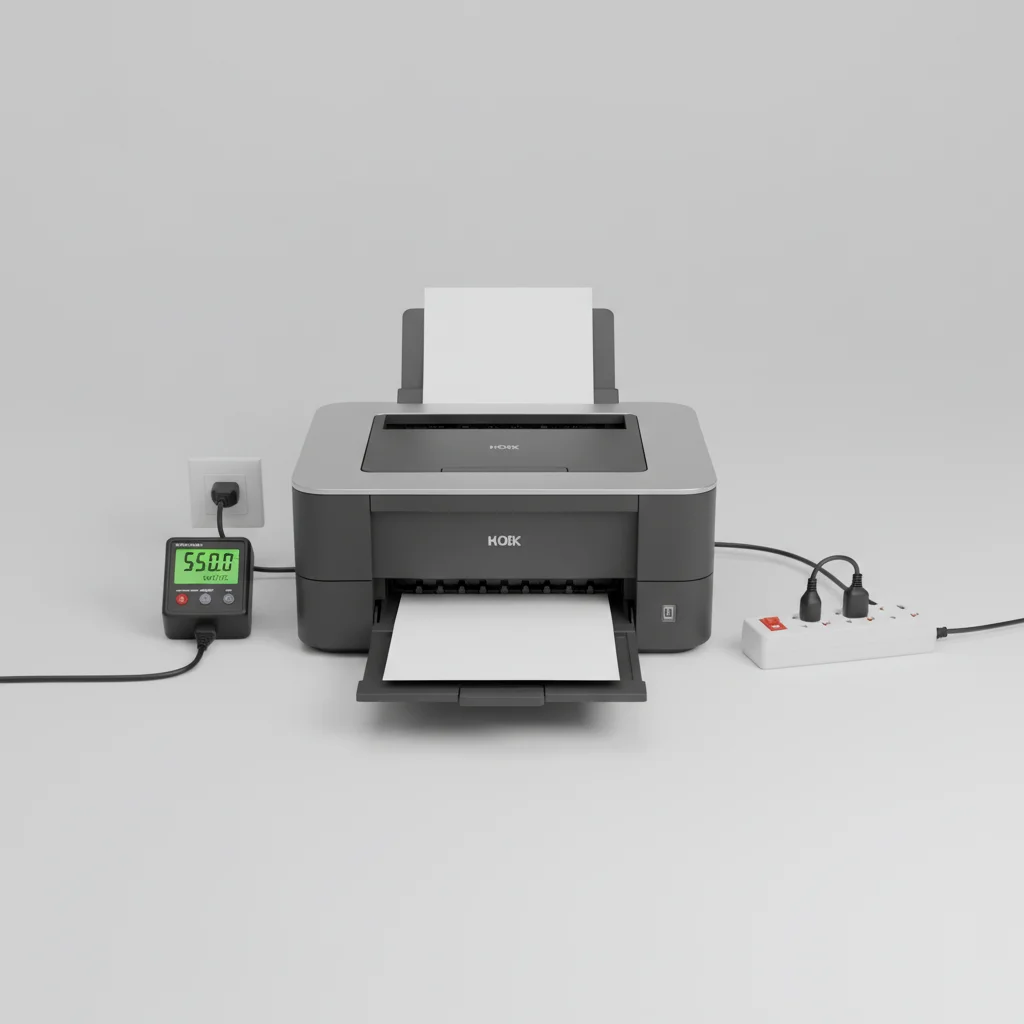
Understanding laser printer power consumption is crucial for managing energy costs and environmental impact. On average, a laser printer uses between 300 to 600 watts when actively printing, with peak consumption during the fusing process. However, this figure varies significantly based on the printer’s model, features, and operational mode. For instance, a small monochrome laser printer will consume less power than a large color multifunction device.
Understanding Power Consumption Modes
Laser printers operate in several power consumption modes, each with distinct energy requirements. The highest consumption occurs during active printing, particularly when the fuser unit heats up to bond toner to paper. This process can momentarily draw hundreds of watts. In standby mode, when the printer is idle but ready to print, consumption drops significantly, typically ranging from 5 to 20 watts. Sleep mode, designed for longer periods of inactivity, further reduces power draw to as low as 1 to 5 watts. Finally, when completely off, most modern printers still draw a minimal amount of “phantom load” power, often less than 1 watt.
Factors Influencing Power Usage
Several factors contribute to a laser printer’s overall power consumption. The type of printer (monochrome vs. color), its speed, and its features (e.g., duplex printing, scanning, copying) all play a role. Color laser printers generally consume more power due to the need to heat multiple fuser elements or process more complex print jobs. Printers with faster print speeds also tend to have more powerful fuser units, leading to higher peak consumption. Additionally, the age and efficiency of the printer’s components can impact its energy use. Older models may be less energy-efficient than newer, ENERGY STAR-certified devices.
Calculating Your Printer’s Energy Cost
|
Our Picks for the Best Laser Printer in 2026
As an Amazon Associate I earn from qualifying purchases.
|
||
| Num | Product | Action |
|---|---|---|
| 1 | HP Laserjet MFP M234dw Wireless Printer, Print, scan, Copy, Fast speeds, Easy Setup, Mobile Printing, Best-for-Small Teams, Instant Ink Eligible |

|
| 2 | HP LaserJet MFP M235sdw All-in-One Laser Wireless Printer, Scan/Copy, Black & White, Duplex, Best-for-Office |
|
| 3 | Brother HL-L2405W Wireless Compact Monochrome Laser Printer with Mobile Printing, Black & White Output | Includes Refresh Subscription Trial(1), Works with Alexa |
|
| 4 | Brother HLL3280CDW Wireless Compact Color Laser Printer, Duplex, Mobile Printing & Ethernet | Includes 2 Month Refresh Subscription Trial¹, Amazon Dash Replenishment Ready (Renewed Premium) |
|
| 5 | Brother HL-L2460DW Wireless Compact Monochrome Laser Printer with Duplex, Mobile Printing, Black & White Output | Includes Refresh Subscription Trial(1), Works with Alexa |
|
| 6 | Brother DCP-L2640DW Wireless Compact Monochrome Multi-Function Laser Printer with Copy and Scan, Duplex, Black & White Output | Includes Refresh Subscription Trial(1), (Renewed Premium) |
|
| 7 | Canon imageCLASS MF284dw Wireless Black & White Laser Printer – All-in-One for Home Use, Print/Copy/Scan, 2-Sided Printing, 35 PPM, Auto Doc Feeder, Mobile Device Compatible, Starter Toner Included |
|
| 8 | Brother HLL6210DW Business Monochrome Laser Printer with Large Paper Capacity, Wireless and Gigabit Ethernet Networking, Advanced Security Features and Mobile Printing (Renewed Premium) |
|
| 9 | Brother MFC-L2820DW Wireless Compact Monochrome All-in-One Laser Printer with Copy, Scan and Fax, Duplex, Black & White | Includes Refresh Subscription Trial(1), Works with Alexa |
|
| 10 | Brother DCP-L2640DW Wireless Compact Monochrome Multi-Function Laser Printer with Copy and Scan, Duplex, Mobile, Black & White | Includes Refresh Subscription Trial(1), Works with Alexa |
|
To estimate the energy cost of your laser printer, you’ll need its wattage, the number of hours it’s in use, and your local electricity rate. For example, if your printer uses 400 watts for 2 hours a day and your electricity costs $0.15 per kilowatt-hour (kWh), the daily cost would be (400W * 2h / 1000) * $0.15 = $0.12. Over a month, this amounts to approximately $3.60. Remember to factor in standby and sleep mode consumption for a more accurate long-term estimate. Many manufacturers provide detailed power consumption specifications in their product manuals or on their websites.
- Check the printer’s specifications for wattage in active, standby, and sleep modes.
- Utilize a power meter to get real-time consumption data for your specific usage patterns.
- Consider ENERGY STAR certified models for guaranteed energy efficiency.
- Unplug printers when not in use for extended periods to eliminate phantom load.
- Optimize printer settings to use eco-modes or lower print quality for drafts.
Reducing Your Laser Printer’s Energy Footprint
Minimizing your laser printer’s energy consumption not only saves money but also reduces your carbon footprint. One effective strategy is to utilize the printer’s power-saving modes. Configure your printer to enter sleep mode after a short period of inactivity. For extended periods away from the office, consider turning the printer off completely or unplugging it from the wall socket to eliminate standby power draw. Consolidating print jobs can also reduce the number of times the fuser needs to heat up, thereby saving energy.Investing in a newer, energy-efficient model can also lead to significant long-term savings. Look for printers with the ENERGY STAR label, which indicates they meet strict energy efficiency guidelines set by the EPA.
The Impact of Printer Features on Power
Advanced features, while convenient, can also influence power consumption. Multifunction printers (MFPs) that combine printing, scanning, copying, and faxing capabilities often have higher power requirements than single-function printers due to the additional internal components and processing power needed. Features like automatic duplexing (two-sided printing) can slightly increase power use during the print cycle but can also lead to paper savings. Network connectivity, especially wireless, maintains a constant low-level power draw to stay connected to your network. When choosing a printer, balance your feature needs with your energy efficiency goals.
Get our weekly buyer guide
Practical specs, not advice. Unsubscribe anytime.
