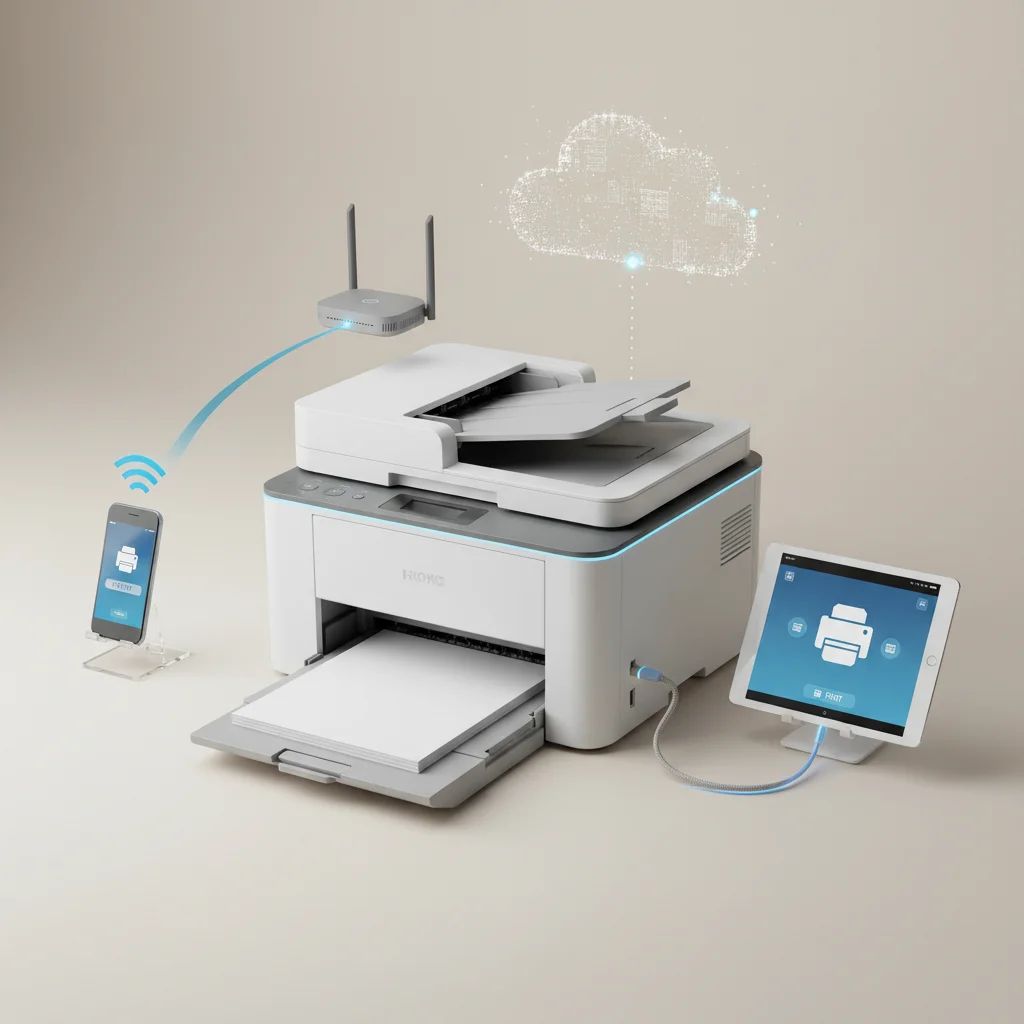
Connecting your laser printer to your phone for direct printing is simpler than you might think, with at least three primary methods available for most modern devices. Whether you’re using a smartphone or tablet, you can easily send documents, photos, and web pages directly to your laser printer without needing a computer. This guide will walk you through the most common and effective ways to achieve seamless mobile printing.
Wi-Fi Direct Printing for Laser Printers
Many contemporary laser printers feature Wi-Fi Direct, a technology that allows your mobile device to connect directly to the printer without needing an intermediary router. To use this, first ensure your printer supports Wi-Fi Direct and that the feature is enabled (often found in the printer’s network settings menu). On your phone, navigate to your Wi-Fi settings and look for your printer’s unique Wi-Fi Direct network name (SSID), which is usually displayed on the printer’s control panel or a printed network configuration page. Connect to this network using the provided password. Once connected, you can use your phone’s native print function or a manufacturer-specific app to send print jobs. This method is ideal for quick, ad-hoc printing when a shared network isn’t available. For expert laser printer reviews on this site.
Cloud Printing Services and Manufacturer Apps
Another robust solution for mobile printing involves cloud services or dedicated printer manufacturer applications. Services like Google Cloud Print (though being phased out, similar alternatives exist) or Apple AirPrint (for iOS devices) allow for easy printing over a shared Wi-Fi network. For AirPrint, simply ensure your printer is AirPrint-compatible and connected to the same Wi-Fi network as your iPhone or iPad. The print option will appear automatically in most apps. Many printer brands, such as HP Smart, Brother iPrint&Scan, and Canon PRINT Business, offer their own apps that provide advanced printing features, scanning capabilities, and even printer maintenance tools directly from your phone. These apps often simplify the setup process and offer more control over print settings.
- Ensure your printer and phone are on the same Wi-Fi network.
- Download the official app for your printer brand.
- Check your printer’s manual for specific mobile printing instructions.
- Update your printer’s firmware for the latest features and compatibility.
- Consider a print server for older, non-wireless printers.
USB On-The-Go (OTG) Printing
|
Our Picks for the Best Laser Printer in 2026
As an Amazon Associate I earn from qualifying purchases.
|
||
| Num | Product | Action |
|---|---|---|
| 1 | HP Laserjet MFP M234dw Wireless Printer, Print, scan, Copy, Fast speeds, Easy Setup, Mobile Printing, Best-for-Small Teams, Instant Ink Eligible |

|
| 2 | Brother HL-L2405W Wireless Compact Monochrome Laser Printer with Mobile Printing, Black & White Output | Includes Refresh Subscription Trial(1), Works with Alexa |
|
| 3 | Brother DCP-L2640DW Wireless Compact Monochrome Multi-Function Laser Printer with Copy and Scan, Duplex, Mobile, Black & White | Includes Refresh Subscription Trial(1), Works with Alexa |
|
| 4 | Brother HLL3280CDW Wireless Compact Color Laser Printer, Duplex, Mobile Printing & Ethernet | Includes 2 Month Refresh Subscription Trial¹, Amazon Dash Replenishment Ready (Renewed Premium) |
|
| 5 | Brother MFC-L2820DW Wireless Compact Monochrome All-in-One Laser Printer with Copy, Scan and Fax, Duplex, Black & White | Includes Refresh Subscription Trial(1), Works with Alexa |
|
| 6 | Brother HL-L2460DW Wireless Compact Monochrome Laser Printer with Duplex, Mobile Printing, Black & White Output | Includes Refresh Subscription Trial(1), Works with Alexa |
|
| 7 | HP LaserJet MFP M235sdw All-in-One Laser Wireless Printer, Scan/Copy, Black & White, Duplex, Best-for-Office |
|
| 8 | Brother DCP-L2640DW Wireless Compact Monochrome Multi-Function Laser Printer with Copy and Scan, Duplex, Black & White Output | Includes Refresh Subscription Trial(1), (Renewed Premium) |
|
| 9 | Brother HLL6210DW Business Monochrome Laser Printer with Large Paper Capacity, Wireless and Gigabit Ethernet Networking, Advanced Security Features and Mobile Printing (Renewed Premium) |
|
| 10 | Canon imageCLASS MF284dw Wireless Black & White Laser Printer – All-in-One for Home Use, Print/Copy/Scan, 2-Sided Printing, 35 PPM, Auto Doc Feeder, Mobile Device Compatible, Starter Toner Included |
|
For situations where Wi-Fi is not an option, or for older printers, USB On-The-Go (OTG) offers a direct wired connection for Android devices. This method requires an OTG adapter, which converts your phone’s USB-C or Micro-USB port into a standard USB-A port. You then connect a standard USB printer cable from your printer to the OTG adapter, and the adapter to your phone. While not all printers and phones support this, many Android devices can recognize a connected printer and allow direct printing, often requiring a specific print service plugin from the Google Play Store. This is a reliable fallback for critical print jobs when wireless options fail.
Troubleshooting Common Mobile Printing Issues
If you encounter problems, start by ensuring both your phone and printer are connected to the same Wi-Fi network if you’re using a network-based method. Restarting both devices can often resolve temporary glitches. Check for any available firmware updates for your printer, as these often include improvements to mobile connectivity. If using a manufacturer’s app, ensure it’s the latest version. For Wi-Fi Direct, confirm the correct network name and password. Sometimes, a simple network reset on your printer can clear up connectivity issues. If all else fails, consult your printer’s manual or the manufacturer’s support website for specific troubleshooting steps related to your model.
With these methods, printing from your phone to your laser printer becomes a convenient and efficient part of your workflow. Whether you’re at home or in the office, the flexibility of mobile printing can significantly enhance your productivity. Consider upgrading to a laser printer with robust mobile connectivity features for the best experience.For those needing a reliable and fast option, this model offers excellent mobile integration.
Get our weekly buyer guide
Practical specs, not advice. Unsubscribe anytime.
