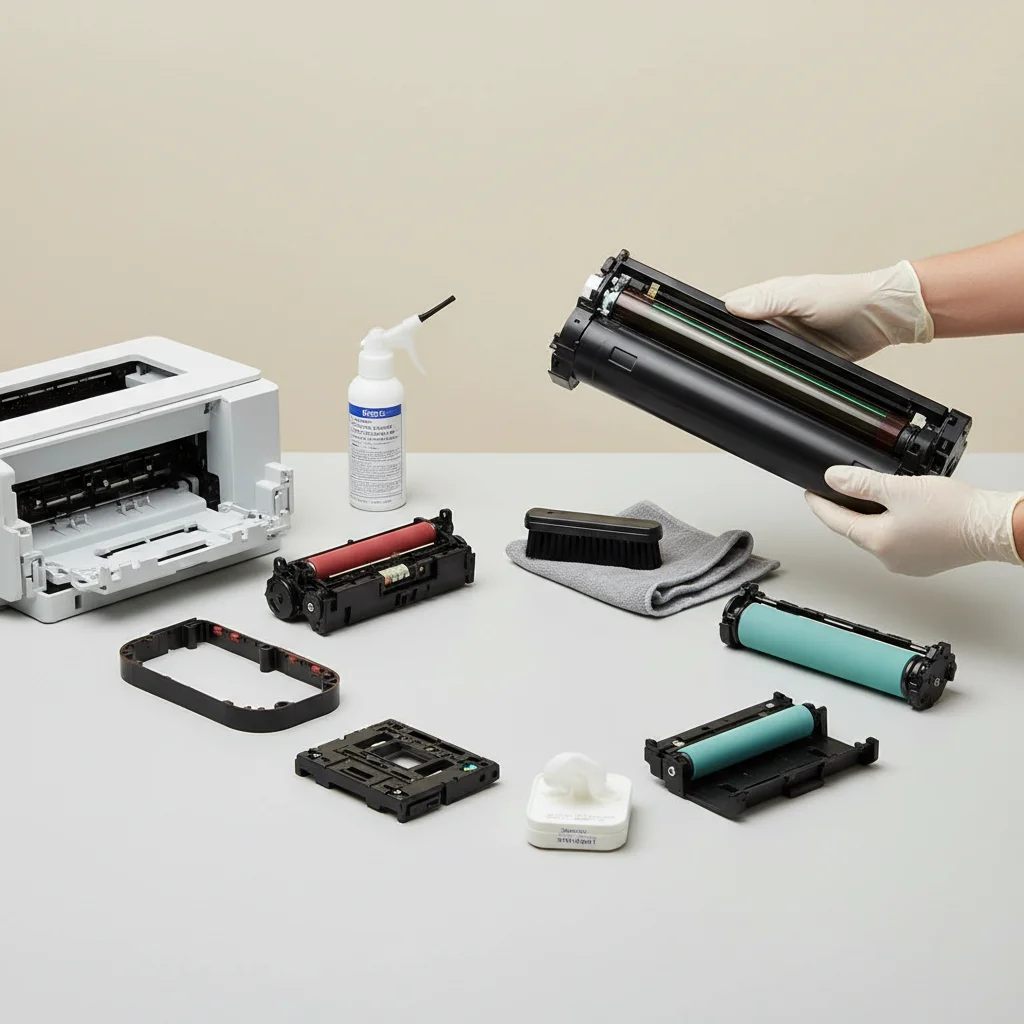
Maintaining your laser printer is crucial for its longevity and print quality. Generally, you should aim to clean your laser printer every 3 to 6 months, or more frequently if you experience high-volume printing or notice a decline in print quality. Regular cleaning prevents common issues like paper jams, smudges, and faded prints, ensuring your device operates efficiently.
Why Regular Cleaning is Essential for Laser Printers
Laser printers, while robust, accumulate toner dust, paper fibers, and other debris over time. This buildup can lead to various problems, including streaky prints, paper jams, and even damage to internal components. A clean printer not only produces better output but also extends the lifespan of expensive parts like the drum unit and fuser assembly. Neglecting maintenance can result in costly repairs or the need for premature replacement.
Key Areas to Focus On During Cleaning
When cleaning your laser printer, several key areas require attention. The most important include the toner cartridge area, the paper path, and the fuser assembly. Always ensure the printer is turned off and unplugged before you begin. Use a lint-free cloth and a small vacuum cleaner designed for electronics to remove loose toner and dust. Avoid using harsh chemicals or abrasive materials, as these can damage sensitive components.
- Wipe down the exterior casing to remove dust and grime.
- Carefully remove the toner cartridge and clean any visible toner residue inside the compartment.
- Inspect the paper rollers for any paper dust or debris and gently clean them.
- Use compressed air to clear out any dust from vents and hard-to-reach areas.
- Check the fuser assembly for any toner buildup, cleaning it with a dry, lint-free cloth if accessible.
Tools and Supplies for Effective Cleaning
|
Our Picks for the Best Laser Printer in 2026
As an Amazon Associate I earn from qualifying purchases.
|
||
| Num | Product | Action |
|---|---|---|
| 1 | Brother DCP-L2640DW Wireless Compact Monochrome Multi-Function Laser Printer with Copy and Scan, Duplex, Mobile, Black & White | Includes Refresh Subscription Trial(1), Works with Alexa |

|
| 2 | Brother HLL6210DW Business Monochrome Laser Printer with Large Paper Capacity, Wireless and Gigabit Ethernet Networking, Advanced Security Features and Mobile Printing (Renewed Premium) |
|
| 3 | Brother MFC-L2820DW Wireless Compact Monochrome All-in-One Laser Printer with Copy, Scan and Fax, Duplex, Black & White | Includes Refresh Subscription Trial(1), Works with Alexa |
|
| 4 | Brother HL-L2460DW Wireless Compact Monochrome Laser Printer with Duplex, Mobile Printing, Black & White Output | Includes Refresh Subscription Trial(1), Works with Alexa |
|
| 5 | HP LaserJet MFP M235sdw All-in-One Laser Wireless Printer, Scan/Copy, Black & White, Duplex, Best-for-Office |
|
| 6 | Brother DCP-L2640DW Wireless Compact Monochrome Multi-Function Laser Printer with Copy and Scan, Duplex, Black & White Output | Includes Refresh Subscription Trial(1), (Renewed Premium) |
|
| 7 | Brother HL-L2405W Wireless Compact Monochrome Laser Printer with Mobile Printing, Black & White Output | Includes Refresh Subscription Trial(1), Works with Alexa |
|
| 8 | Canon imageCLASS MF284dw Wireless Black & White Laser Printer – All-in-One for Home Use, Print/Copy/Scan, 2-Sided Printing, 35 PPM, Auto Doc Feeder, Mobile Device Compatible, Starter Toner Included |
|
| 9 | HP Laserjet MFP M234dw Wireless Printer, Print, scan, Copy, Fast speeds, Easy Setup, Mobile Printing, Best-for-Small Teams, Instant Ink Eligible |
|
| 10 | Brother HLL3280CDW Wireless Compact Color Laser Printer, Duplex, Mobile Printing & Ethernet | Includes 2 Month Refresh Subscription Trial¹, Amazon Dash Replenishment Ready (Renewed Premium) |
|
To effectively clean your laser printer, you’ll need a few essential tools. A can of compressed air is excellent for dislodging dust from crevices. A small, soft-bristled brush can help with stubborn debris. For wiping surfaces, lint-free cloths are ideal to prevent leaving behind fibers. Some manufacturers also offer specialized printer cleaning kits that include specific tools and solutions for their models. Always refer to your printer’s manual for specific cleaning instructions and recommended supplies.
When to Seek Professional Laser Printer Maintenance
While routine cleaning can be done at home, there are times when professional maintenance is advisable. If you notice persistent error messages, unusual noises, or significant print quality issues that don’t resolve with basic cleaning, it might be time to call a technician. Professionals have specialized tools and expertise to diagnose and fix complex problems, ensuring your printer receives the attention it needs without risking further damage. They can also perform deeper cleaning of internal components that are not easily accessible to the average user.
Tips for Extending Your Printer’s Life Between Cleanings
Beyond regular cleaning, several practices can help extend the life of your laser printer and reduce the frequency of deep cleans. Always use high-quality paper that is free of dust and debris. Store your printer in a clean, dust-free environment, away from direct sunlight and extreme temperatures. Avoid overfilling the paper tray, as this can lead to paper jams and increased wear on rollers. Regularly updating your printer’s firmware can also improve its performance and address potential issues before they become major problems.
By following these guidelines, you can ensure your laser printer remains in optimal condition, delivering crisp, clear prints for years to come. Consistent, proactive maintenance is the key to avoiding common printer frustrations and maximizing your investment.
Get our weekly buyer guide
Practical specs, not advice. Unsubscribe anytime.
