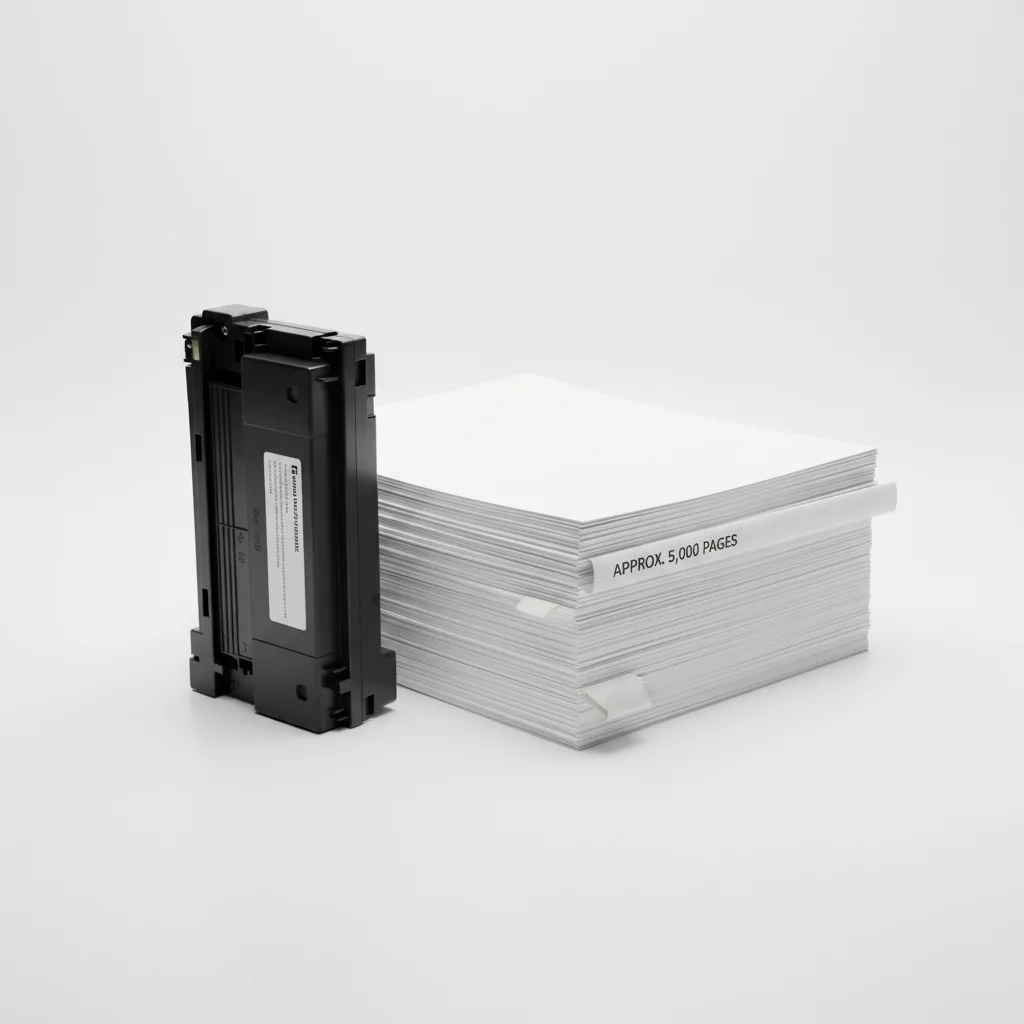
Understanding how many pages a laser printer toner cartridge can print is crucial for budgeting and efficiency. On average, a standard laser printer toner cartridge can print between 1,500 and 2,500 pages. This number, often referred to as the ‘page yield,’ is typically based on an industry-standard 5% page coverage. This means that only 5% of the page is covered with toner, which is common for text documents. For graphics-heavy prints or full-page images, the actual page yield will be significantly lower.
The page yield of a laser printer toner cartridge is a key factor in determining the overall cost per page for your printing needs. Manufacturers provide these estimates to help consumers compare different toner options and printer models. It’s important to note that these figures are laboratory-tested and real-world results can vary based on the type of documents you print, your printer settings, and even environmental factors.
Factors Influencing Toner Page Yield
Several factors can influence the actual number of pages you get from a toner cartridge. The most significant is the print coverage. As mentioned, the 5% coverage standard is for light text documents. If you frequently print documents with bold fonts, images, or dense graphics, your toner will be consumed much faster. For example, a page with 20% coverage might yield only a quarter of the advertised page count.
Another factor is the printer’s settings. Many laser printers offer ‘draft’ or ‘toner-saver’ modes, which use less toner per page, thereby extending the life of the cartridge. Conversely, printing in ‘best’ quality mode will use more toner. The type of paper used can also play a minor role; very porous paper might absorb more toner, though this effect is generally minimal compared to coverage and print settings.
Standard vs. High-Yield Toner Cartridges
|
Our Picks for the Best Laser Printer in 2026
As an Amazon Associate I earn from qualifying purchases.
|
||
| Num | Product | Action |
|---|---|---|
| 1 | HP LaserJet MFP M235sdw All-in-One Laser Wireless Printer, Scan/Copy, Black & White, Duplex, Best-for-Office |

|
| 2 | Brother DCP-L2640DW Wireless Compact Monochrome Multi-Function Laser Printer with Copy and Scan, Duplex, Black & White Output | Includes Refresh Subscription Trial(1), (Renewed Premium) |
|
| 3 | Brother HL-L2460DW Wireless Compact Monochrome Laser Printer with Duplex, Mobile Printing, Black & White Output | Includes Refresh Subscription Trial(1), Works with Alexa |
|
| 4 | HP Laserjet MFP M234dw Wireless Printer, Print, scan, Copy, Fast speeds, Easy Setup, Mobile Printing, Best-for-Small Teams, Instant Ink Eligible |
|
| 5 | Brother HLL6210DW Business Monochrome Laser Printer with Large Paper Capacity, Wireless and Gigabit Ethernet Networking, Advanced Security Features and Mobile Printing (Renewed Premium) |
|
| 6 | Brother DCP-L2640DW Wireless Compact Monochrome Multi-Function Laser Printer with Copy and Scan, Duplex, Mobile, Black & White | Includes Refresh Subscription Trial(1), Works with Alexa |
|
| 7 | Canon imageCLASS MF284dw Wireless Black & White Laser Printer – All-in-One for Home Use, Print/Copy/Scan, 2-Sided Printing, 35 PPM, Auto Doc Feeder, Mobile Device Compatible, Starter Toner Included |
|
| 8 | Brother HL-L2405W Wireless Compact Monochrome Laser Printer with Mobile Printing, Black & White Output | Includes Refresh Subscription Trial(1), Works with Alexa |
|
| 9 | Brother HLL3280CDW Wireless Compact Color Laser Printer, Duplex, Mobile Printing & Ethernet | Includes 2 Month Refresh Subscription Trial¹, Amazon Dash Replenishment Ready (Renewed Premium) |
|
| 10 | Brother MFC-L2820DW Wireless Compact Monochrome All-in-One Laser Printer with Copy, Scan and Fax, Duplex, Black & White | Includes Refresh Subscription Trial(1), Works with Alexa |
|
When purchasing toner, you’ll often encounter both standard and high-yield options. Standard cartridges offer the typical page yields discussed, usually ranging from 1,500 to 2,500 pages. High-yield cartridges, however, contain more toner and can print significantly more pages, often between 4,000 and 10,000 pages or even more, depending on the printer model and brand.
While high-yield cartridges have a higher upfront cost, they typically offer a lower cost per page, making them a more economical choice for users with high-volume printing needs. They also reduce the frequency of cartridge replacement, which can be a convenience factor for busy offices. Always check your printer’s specifications to see if high-yield options are available for your model.
Estimating Your Printing Costs
To accurately estimate your printing costs, you need to consider both the toner cartridge price and its page yield. The formula for cost per page is simple: (Cartridge Price) / (Page Yield) = Cost Per Page. For instance, if a toner cartridge costs $75 and yields 2,500 pages, your cost per page is $0.03. This calculation helps you compare different brands and cartridge types effectively.
Many online retailers and printer manufacturers provide cost-per-page estimates for their products, which can be a useful starting point. However, always remember that these are based on the 5% coverage standard. If your printing habits involve heavier coverage, adjust your expectations accordingly.Consider investing in a printer that offers competitive toner costs if you print frequently.
Tips for Maximizing Toner Life
- Utilize Toner-Saver Mode: For internal documents or drafts, switch to a lower print quality setting to conserve toner.
- Print in Grayscale: If color isn’t essential, print documents in black and white to save color toner.
- Proofread Before Printing: Always review documents on screen to avoid printing unnecessary pages with errors.
- Print Multiple Pages Per Sheet: Use your printer’s settings to print two or more document pages onto a single physical sheet.
- Store Cartridges Properly: Keep spare toner cartridges in their original packaging in a cool, dry place to prevent premature drying or damage.
When to Replace Your Toner Cartridge
Most modern laser printers will provide warnings when toner levels are low. These warnings can appear on the printer’s display or through software notifications on your computer. While it might be tempting to replace the cartridge immediately, you can often get a few more prints out by gently shaking the cartridge from side to side. This redistributes any remaining toner powder. However, once print quality noticeably degrades with streaks or faded areas, it’s time for a replacement to maintain professional-looking documents.Always have a spare cartridge on hand to avoid interruptions.
Get our weekly buyer guide
Practical specs, not advice. Unsubscribe anytime.
