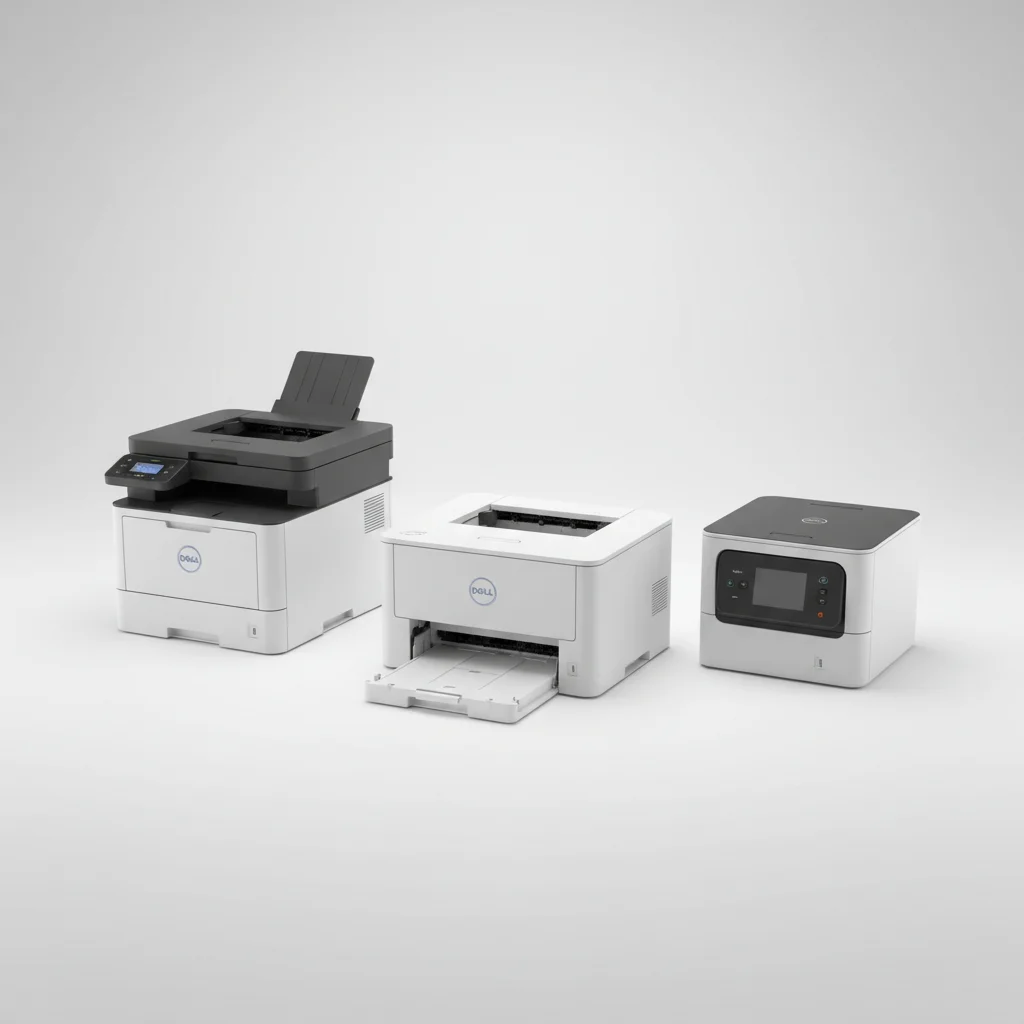
The Dell B2360dn is the best Dell laser printer for small businesses, offering a strong balance of speed, reliability, and cost-efficiency. Small businesses require printers that can handle consistent workloads without frequent maintenance or high running costs. Dell provides several models that fit these criteria, focusing on durability and performance essential for daily operations.
Quick comparison
| Model | Print Speed (PPM) | Duplex Printing | Connectivity | Monthly Duty Cycle |
|---|---|---|---|---|
| Dell B2360dn | 40 | Yes | USB, Ethernet | 80,000 pages |
| Dell C1760nw | 15 (mono), 12 (color) | No | USB, Ethernet, Wi-Fi | 30,000 pages |
| Dell E514dw | 27 | Yes | USB, Ethernet, Wi-Fi | 10,000 pages |
What Small Business needs from a Laser Printer
Small businesses need laser printers that prioritize efficiency, cost-effectiveness, and reliability. High print speeds are crucial for meeting deadlines and maintaining productivity, especially during peak hours. Automatic duplex printing saves on paper costs and reduces environmental impact, a significant benefit for budget-conscious operations. Connectivity options like Ethernet and Wi-Fi ensure seamless integration into existing network infrastructures, supporting multiple users and remote printing. A robust monthly duty cycle indicates the printer’s ability to handle substantial print volumes without premature wear, minimizing downtime and repair expenses. Furthermore, affordable toner cartridges and a low cost per page are vital for long-term operational savings. Security features, such as secure print and user authentication, protect sensitive business information. Compact designs are also beneficial for small offices with limited space, ensuring the printer fits comfortably without obstructing workflow. Energy efficiency is another important consideration, helping to reduce electricity bills and support sustainable business practices.
Detailed reviews
Dell B2360dn
The Dell B2360dn is an excellent choice for small businesses requiring high-volume monochrome printing. It boasts a rapid print speed of up to 40 pages per minute, ensuring that large print jobs are completed quickly. Automatic duplex printing is standard, significantly reducing paper consumption and costs. Connectivity options include USB and Ethernet, providing reliable network access for multiple users. With a robust monthly duty cycle of up to 80,000 pages, this printer is built to withstand demanding office environments. The B2360dn uses high-yield toner cartridges, which contribute to a low cost per page, making it an economical option for businesses with frequent printing needs. Its compact design allows it to fit easily into various office setups, and its intuitive control panel simplifies operation. This model is known for its consistent performance and durability, making it a reliable workhorse for any small business.
Dell C1760nw
For small businesses needing color printing capabilities, the Dell C1760nw offers a compact and affordable solution. This color laser printer delivers print speeds of up to 15 pages per minute for monochrome and 12 pages per minute for color. While it lacks automatic duplex printing, its ability to produce vibrant color documents makes it suitable for marketing materials, presentations, and reports. Connectivity options are versatile, including USB, Ethernet, and Wi-Fi, allowing for flexible placement and easy access from various devices. The C1760nw has a monthly duty cycle of up to 30,000 pages, making it suitable for moderate printing volumes. Its small footprint is ideal for offices with limited space, and its user-friendly interface ensures straightforward operation. This printer is a cost-effective entry point into color laser printing for small businesses that prioritize color output over high-speed monochrome.
Dell E514dw
The Dell E514dw is a versatile multifunction laser printer designed for small businesses that need printing, scanning, and copying capabilities. It offers a respectable print speed of up to 27 pages per minute for monochrome documents. Automatic duplex printing is included, helping businesses save on paper and streamline document creation. Connectivity is comprehensive, featuring USB, Ethernet, and Wi-Fi, which supports mobile printing from smartphones and tablets. The E514dw has a monthly duty cycle of up to 10,000 pages, making it suitable for small offices with moderate printing and scanning requirements. Its integrated flatbed scanner and automatic document feeder enhance its utility for various office tasks. This model provides a good balance of features and performance for businesses looking for an all-in-one solution without a significant investment. Its ease of use and reliable performance make it a practical choice for daily office operations.
Routine fit
Integrating a Dell laser printer into a small business routine enhances productivity and streamlines document management. For offices with high monochrome print volumes, the Dell B2360dn excels in daily report generation, invoicing, and contract printing, ensuring quick turnaround times. Businesses that frequently produce marketing materials or client presentations benefit from the Dell C1760nw’s color capabilities, adding visual impact to their communications. The Dell E514dw, with its multifunctionality, is ideal for offices requiring a single device for printing, scanning, and copying, simplifying workflows for administrative tasks and document archiving. All Dell models offer reliable performance, reducing the need for frequent troubleshooting and allowing employees to focus on core business activities. Their network connectivity supports shared access, making them central hubs for document output across the office.
FAQs
What is the typical lifespan of a Dell laser printer for small business use?
The typical lifespan of a Dell laser printer for small business use can range from 3 to 7 years, depending on the model, print volume, and maintenance. Printers with higher monthly duty cycles, like the Dell B2360dn, are designed for more intensive use and generally last longer. Regular cleaning, timely toner replacement, and adherence to manufacturer guidelines can significantly extend the printer’s operational life. Factors such as environmental conditions and power fluctuations can also influence longevity. Investing in a model that matches your business’s expected print volume is crucial for maximizing its lifespan and return on investment.
Are Dell laser printers compatible with various operating systems?
Yes, Dell laser printers are generally compatible with a wide range of operating systems, including Windows, macOS, and various Linux distributions. Dell provides drivers and software for these platforms, often available for download from their official support website. Many modern Dell printers also support universal print drivers, simplifying installation. For network-connected printers, compatibility is often managed through standard network protocols, allowing seamless integration into diverse IT environments. Always check the specific model’s specifications and Dell’s support page for the most up-to-date compatibility information and driver downloads to ensure optimal performance.
What is the average cost per page for Dell laser printers?
The average cost per page for Dell laser printers varies significantly depending on the model, whether it’s monochrome or color, and the type of toner cartridge used (standard vs. high-yield). For monochrome printers like the Dell B2360dn, the cost per page can be as low as 1.5 to 2.5 cents using high-yield cartridges. Color laser printers, such as the Dell C1760nw, typically have a higher cost per page, ranging from 10 to 15 cents for color prints and 3 to 5 cents for monochrome prints. Businesses can reduce their cost per page by opting for high-yield toner cartridges and purchasing them in multi-packs when available.
Do Dell laser printers offer wireless connectivity?
Many Dell laser printers offer wireless connectivity, providing flexibility in placement and ease of access for multiple users. Models like the Dell C1760nw and Dell E514dw include Wi-Fi capabilities, allowing users to print from computers, laptops, smartphones, and tablets without a direct cable connection. This feature is particularly beneficial for small offices with limited space or those that utilize mobile devices extensively. Wireless setup typically involves connecting the printer to the existing Wi-Fi network. Always verify the specific model’s connectivity options if wireless printing is a critical requirement for your small business.
What security features are available on Dell laser printers?
Dell laser printers often include various security features to protect sensitive business data. Common features include secure print, which requires a PIN to release print jobs, preventing unauthorized access to confidential documents. Network security protocols, such as SNMPv3 and IPsec, help secure data transmission over the network. Some models may offer user authentication, restricting printer access to authorized personnel. Firmware updates regularly address potential vulnerabilities, enhancing overall security. For businesses handling sensitive information, reviewing the specific security specifications of a Dell laser printer model is essential to ensure it meets their compliance and data protection requirements.
Verdict
For small businesses seeking the best Dell laser printer, the Dell B2360dn stands out as the top recommendation. Its exceptional print speed, robust monthly duty cycle, and cost-effective operation make it an ideal choice for high-volume monochrome printing. While the Dell C1760nw offers valuable color capabilities for specific needs, and the Dell E514dw provides multifunctionality, the B2360dn delivers the most compelling combination of performance and reliability for core business printing tasks. Selecting a Dell laser printer ensures a durable and efficient solution that supports daily operations and contributes to long-term productivity and savings.
Frequently Asked Questions
What is the typical lifespan of a Dell laser printer for small business use?
The typical lifespan of a Dell laser printer for small business use ranges from 3 to 7 years, depending on the model and print volume. Printers with higher monthly duty cycles, such as the Dell B2360dn, are designed for more intensive use and generally last longer. Regular maintenance and adherence to manufacturer guidelines can significantly extend the printer's operational life.
Are Dell laser printers compatible with various operating systems?
Yes, Dell laser printers are generally compatible with a wide range of operating systems, including Windows, macOS, and various Linux distributions. Dell provides necessary drivers and software on their official support website. Many modern Dell printers also support universal print drivers for simplified installation across diverse IT environments.
What is the average cost per page for Dell laser printers?
The average cost per page for Dell laser printers varies by model and toner type. For monochrome printers like the Dell B2360dn, the cost per page can be as low as 1.5 to 2.5 cents using high-yield cartridges. Color laser printers, such as the Dell C1760nw, typically range from 10 to 15 cents for color prints and 3 to 5 cents for monochrome prints.
Do Dell laser printers offer wireless connectivity options?
Many Dell laser printers offer wireless connectivity, providing flexible placement and easy access for multiple users. Models like the Dell C1760nw and Dell E514dw include Wi-Fi capabilities, enabling printing from computers, laptops, smartphones, and tablets without a direct cable connection. Always verify the specific model's connectivity options for your business needs.
What security features are available on Dell laser printers?
Dell laser printers often include security features to protect sensitive business data, such as secure print, which requires a PIN to release jobs. Network security protocols like SNMPv3 and IPsec help secure data transmission. Some models also offer user authentication to restrict printer access to authorized personnel, with firmware updates addressing vulnerabilities.
Get our weekly buyer guide
Practical specs, not advice. Unsubscribe anytime.

After struggling with inkjet printers for years, switching to a Dell laser printer was a game-changer. The B2360dn’s reliability and low maintenance have saved us so much time and frustration. It handles consistent workloads without a hitch, which is exactly what our small design studio needed. Highly recommend for anyone tired of constant printer issues.
The Dell C1760nw has been a good addition to my home office. I appreciate the Wi-Fi connectivity, which makes it easy to print from anywhere. While the color printing is decent for occasional use, I do wish it had duplex printing. For the price and the convenience, though, it’s hard to beat for lighter workloads.
I’ve been using the Dell B2360dn for my small accounting firm for about six months now, and it’s been a workhorse. The 40 PPM speed is no joke; we can print large reports in no time, which is essential for client deadlines. Plus, the cost-efficiency with toner has been a pleasant surprise. Definitely a solid recommendation for any busy office.
We got the Dell E514dw for our small retail shop, mainly for invoices and shipping labels. It’s reliable enough, and the duplex printing is a plus. However, the 10,000-page monthly duty cycle feels a bit low for our needs, especially during busy seasons. We might need to upgrade sooner than expected if our volume keeps growing.